Choosing between Zoom, Teams, and Slack isn't just about picking software. It's about deciding where your company will live and work digitally. Think of it this way: Slack is built for nimble, channel-based asynchronous work, Zoom is the undisputed king of live video, and Teams shines by pulling everything together within the Microsoft 365 universe. The right tool for you really comes down to how your team already communicates and what technology you’re already using.
Table of Contents
Choosing Your Digital Headquarters
For anyone in HR or People Operations, this choice has a massive impact on daily workflows, how engaged your employees feel, and the very culture of your company. Get it right, and your communication platform becomes a strategic tool for building a connected, high-performing team. Information flows freely, projects stay on track, and people feel connected, even when they're miles apart. But get it wrong, and you're stuck with scattered conversations, tool burnout, and a lot of missed opportunities to collaborate effectively.
A huge piece of this puzzle is how each platform helps you build a culture of recognition. Real impact doesn't come from a formal, once-a-quarter award. It comes from making appreciation and acknowledgment a natural, visible part of the everyday grind. Team recognition is vital because it boosts morale, increases employee engagement, and reinforces the behaviors you want to see. When employees feel seen and valued, they're more motivated and connected to the company's mission.
Building a strong culture of recognition isn't about grand gestures; it's about the frequency and visibility of small, everyday acknowledgments. The best digital headquarters makes this behavior effortless.
Here’s a look at the core philosophy behind each option:
- Microsoft Teams: This is the go-to for organizations already deep in the Microsoft 365 suite. Its superpower is bringing your documents, calendar, and chat all under one familiar roof.
- Slack: If you have a fast-moving, tech-forward team, Slack is probably your best bet. It’s all about rapid, channel-based conversations and a universe of third-party apps to customize your workflow.
- Zoom: At its heart, Zoom is a video-first platform. Its other features, like chat, are built to support its world-class meeting experience, making it a powerful choice for companies that live and breathe synchronous communication.
Comparing Core Platform Philosophies
To make the right call, you have to understand what each platform was originally designed to do. This table cuts through the noise and shows you their primary focus and where they fit best.
| Platform | Core Philosophy | Ideal For | Recognition Culture |
|---|---|---|---|
| Microsoft Teams | Integrated Productivity Hub | Organizations using Microsoft 365, seeking a single, compliant environment for all workstreams. | Recognition is often handled through larger, integrated HR platforms, making it more formal. |
| Slack | Agile Communication & Integration | Fast-moving teams that need a flexible, central hub with a vast app marketplace for custom workflows. | Lightweight apps can embed peer-to-peer recognition directly into daily conversations, fostering continuous appreciation. |
| Zoom | Synchronous Video Excellence | Teams that rely heavily on high-quality video meetings for sales, client services, and internal collaboration. | Recognition features are often centered around the meeting experience or require separate integrations. |
In the end, this decision is about aligning a tool's design with your company's culture. A platform that makes it easy for people to give frequent, visible shout-outs will always give you a better return by boosting morale and engagement. For instance, a creative agency might lean into Slack for its vibrant app ecosystem, using a tool like AsanteBot to celebrate campaign wins right in a public channel. A practical example would be a designer sharing a new logo concept and teammates immediately reacting with a "🔥" emoji that the bot logs as praise. A large financial firm, on the other hand, might choose Microsoft Teams for its security posture and use a formal HR add-on for quarterly awards. The "best" platform is simply the one that removes friction from both getting work done and appreciating the people who do it.
A Head-to-Head Feature Comparison
Picking between Zoom, Microsoft Teams, and Slack is about more than just ticking feature boxes. It’s about understanding how each platform feels in the day-to-day grind. All three offer chat, meetings, and file sharing, but their core philosophies shape user experiences in ways that can either supercharge your team or create daily friction. This comparison digs into the practical, real-world impact of their features on your company’s collaboration and culture.
The image below shows how each tool positions itself as a "digital HQ," but each has a very different vision for what that headquarters should be—one built around video, another around integrated chat, and the last around channel-based work.
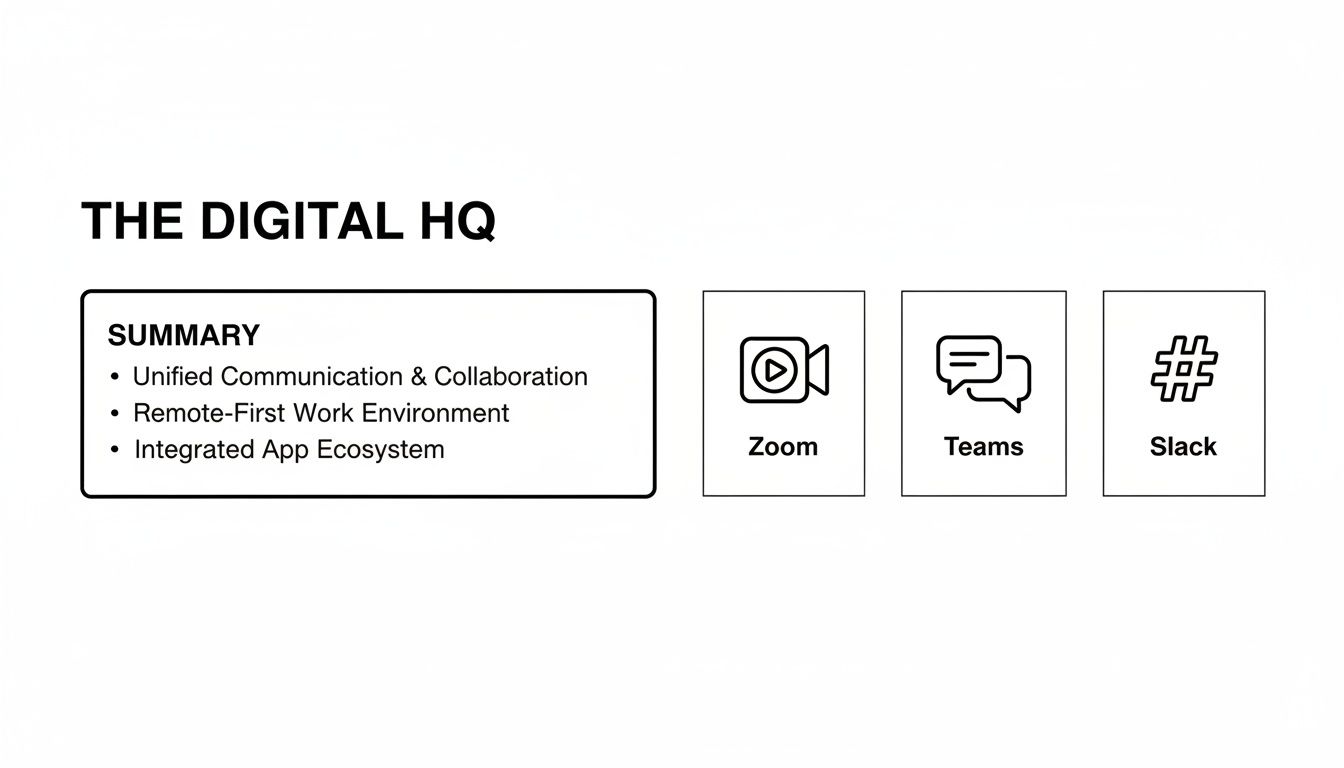
Each of these platforms has become the central nervous system for millions. Zoom nails live video, Teams offers a complete Microsoft-centric universe, and Slack champions a more flexible, channel-first way of working.
To quickly grasp where each platform shines, here’s a high-level breakdown.
At-a-Glance Feature Comparison Zoom vs Teams vs Slack
| Feature Category | Zoom | Microsoft Teams | Slack |
|---|---|---|---|
| Primary Strength | Best-in-class video and audio quality for meetings. | Deep integration with the Microsoft 365 ecosystem. | Flexible, intuitive, and highly customizable channel-based chat. |
| Meetings | The industry gold standard. Reliable, intuitive, and great for external-facing calls and large webinars. | Strong for scheduled, internal meetings linked to Outlook. Creates a persistent hub for notes and files. | Focuses on spontaneous, informal Huddles to replicate quick office chats. |
| Chat & Channels | Functional, but a secondary feature supporting its meeting platform. Lacks the depth of its competitors. | Structured and formal. Channels are tied to SharePoint sites, offering robust file management. | The market leader. Threads keep conversations organized and channels are easy to create and manage. |
| Integrations | Good, with a focus on meeting-related apps and scheduling tools. | Excellent within the Microsoft ecosystem, but can be rigid with third-party apps. | Massive app directory. Integrations feel seamless and native to the workflow. |
This table gives you the 30,000-foot view, but the real differences surface when you look at how teams actually use these features day-to-day.
Meetings: Synchronous vs. Asynchronous Collaboration
Zoom built its empire on rock-solid video and audio. It just works. That's why it remains the go-to for synchronous, real-time communication—think important client calls, all-hands meetings, or large webinars where crystal-clear quality is non-negotiable.
Microsoft Teams, on the other hand, is a master of the scheduled meeting that’s deeply woven into the Outlook calendar. Its power lies in context. An invite automatically spins up a dedicated space for files, notes, and a persistent chat thread, making it perfect for project work where the pre-and-post-meeting collaboration is just as vital as the call itself.
Slack plays a different game with Huddles, its lightweight audio (and now video) feature. Huddles are designed to mimic those quick "tap on the shoulder" chats you'd have in an office. They’re perfect for resolving a quick question without the ceremony of booking a formal meeting, reinforcing its asynchronous-first culture.
Chat: Channels vs. Threads
The chat experience is where you'll find the biggest philosophical divide between Zoom, Teams, and Slack. Slack pioneered channels—dedicated spaces for projects, teams, or even social topics. Its threaded replies are brilliant for containing side conversations, which keeps the main channel feed clean and easy to follow. Imagine a creative agency brainstorming a campaign; that fluid structure is perfect for juggling multiple ideas at once.
Microsoft Teams organizes its conversations within channels, but each one is backed by a formal SharePoint site. The structure feels more rigid, but it provides powerful, integrated file management and version control. For a large enterprise in a regulated industry, this is a huge win—all conversations and documents are centrally managed and auditable.
Zoom Team Chat really just feels like a supporting actor to the main show: meetings. While it offers channels and direct messaging, its primary purpose is to help people communicate before, during, and after a Zoom call.
The Power of Team Recognition in Daily Workflows
You can't overstate the importance of team recognition. Seeing frequent, visible appreciation is a massive driver of morale and engagement, and your choice of platform directly impacts how easily it becomes a daily habit. This visibility is crucial; public praise not only validates an individual's hard work but also signals to the entire team which actions and values the company celebrates, reinforcing a positive culture.
When recognition is embedded into the tools employees use every day, it transforms from a top-down corporate program into a genuine, peer-driven cultural ritual.
This is where the platform's architecture really matters.
- Practical Example in Slack: An engineering team ships a big feature. A developer posts the update in the
#engineering-winschannel: "Project Phoenix is live!" Colleagues instantly pile on with a custom "🚀" emoji and threaded replies like "Amazing work on the final QA pass, Sarah!" The celebration is immediate, public, and happens right where the work conversation lives. - Practical Example in Teams: A sales rep lands a major deal. Their manager might post an announcement in the "Sales Team" channel saying "Congratulations to Mark for closing the Acme account!" While people can reply with praise, it often feels more like a formal update than a spontaneous cultural moment. Meaningful recognition usually requires a heavier, more formal HR app integration.
This difference is critical for culture-building. Slack’s design and huge app ecosystem make it far easier to weave in lightweight, fun recognition tools that feel like a natural part of the conversation. This frictionless approach is essential for fostering a positive remote or hybrid culture. For a wider look at the market, including other platforms and detailed feature lists, this guide to the Top 10 Communication and Collaboration Tools is a great resource.
Weaving Recognition into Your Digital Workplace
A collaboration tool's true value isn't just about managing projects or scheduling meetings. It's about its power to connect with other tools and, more importantly, shape your company's culture. When you look at Zoom, Microsoft Teams, and Slack, you're seeing three very different philosophies in their app marketplaces. Slack’s is a sprawling, open ecosystem. Teams offers a more controlled, enterprise-grade set of integrations. Zoom’s marketplace, while growing, is laser-focused on apps that make meetings better.
For anyone in HR or People Operations, this difference is huge. It's especially critical when you're trying to build a genuine culture of peer-to-peer recognition. In a remote or distributed team, keeping morale high depends on making appreciation a visible, everyday habit—not just a formal, top-down process. The importance of this cannot be overstated; frequent recognition creates a psychological safety net where employees feel their contributions matter, which directly reduces turnover and burnout.
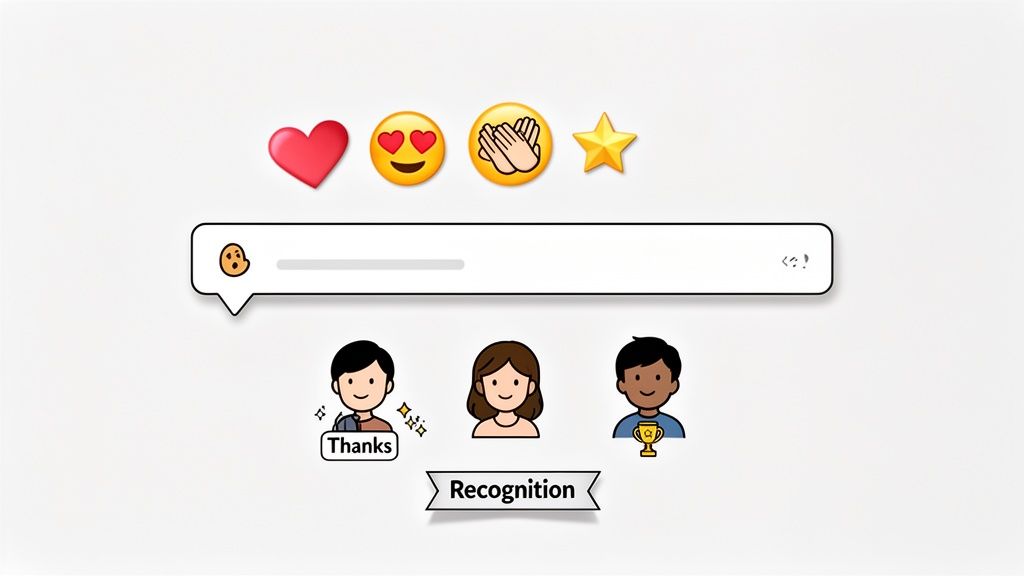
You really can't overstate the importance of this. When people feel seen and valued, their connection to the company deepens, which has a direct, measurable impact on retention and productivity. A platform that makes saying "thank you" effortless gives you a massive strategic advantage.
Recognition Should Live Where Your Team Works
The best recognition programs are the ones that meet people right where they are. If you make employees log into a separate HR portal just to give a shout-out, you add friction and kill any sense of spontaneity. Real cultural shifts happen when you weave appreciation directly into the daily flow of conversation.
This is where the fundamental design differences between Slack and Microsoft Teams really come to light. Slack’s open API and channel-based structure have made it the perfect environment for lightweight, fun apps that embed recognition right into the conversation.
When giving thanks becomes as easy as adding an emoji, it stops feeling like a task and becomes an instinct. That’s the real secret to building a genuine, peer-led culture of appreciation.
Think about it in practice. A developer pushes a critical bug fix late on a Friday afternoon. In a company that runs on Slack, a teammate can instantly give them kudos in a public channel using a simple emoji reaction tied to a recognition app. The gesture is immediate, public, and reinforces a supportive culture right where the work is actually happening.
What Recognition Looks Like in Practice
Let’s get practical and see how this actually plays out across the different platforms. The goal is always to make appreciation visible and easy, but the feel is completely different.
Recognition in Slack: In-the-Moment and Organic
Slack’s real magic is how it supports these small, spontaneous interactions that add up to a great culture.
- The Scenario: A designer on the marketing team shares a brilliant new graphic for an upcoming campaign in the
#marketing-teamchannel. - The Action: Teammates can immediately react with a custom emoji, like a "🏆" or "🎉". A recognition app like AsanteBot can be set up to automatically tally these emojis as recognition points. For example, a project manager might also add a comment:
/kudos @designer for that amazing turnaround!. - The Outcome: The designer gets immediate, visible praise from their peers. Because it’s in a public channel, it amplifies the positive moment and shows others what excellence looks like. The points can even be redeemed for rewards later, which adds a fun, gamified element that encourages more of this behavior.
Recognition in Microsoft Teams: Structured and Formal
Teams is a powerhouse for structured collaboration, but recognition can often feel less spontaneous and more like a formal process.
- The Scenario: An employee in a large organization goes the extra mile for a customer, and their manager wants to acknowledge it.
- The Action: The manager might post a formal announcement in the team channel using a template: "Team, let's recognize @JaneDoe for exceptional customer service this week." More often, they’ll use a larger, integrated HR platform like Workday or SAP SuccessFactors, which usually have a Teams app.
- The Outcome: The recognition happens, but it’s often a top-down action that feels more corporate. That spontaneous, peer-driven feel gets lost in the process.
Why Slack's Ecosystem Is a Natural Fit for Culture Building
Slack has grown from a simple chat tool into the central hub where work gets done, especially for tech and creative teams. With a projected 79 million monthly active users by 2025 and 77 of the Fortune 100 already using it, a huge chunk of the modern workforce lives in Slack channels all day. That deep engagement makes it the perfect place to embed cultural rituals like recognition. In fact, customers report a 43% faster response time and 4x faster sales cycles when they centralize workflows in Slack, which proves just how active people are within the app.
This creates the perfect environment for tools that tap into existing habits. Zoom, on the other hand, is built for meetings, so its ecosystem is all about enhancing that live, synchronous experience. While you can absolutely use both tools together (our guide on how to start a Zoom meeting in Slack shows you how), the daily, back-and-forth conversations that build true company culture happen in chat. Slack’s design, combined with its incredible user engagement, gives it a clear edge in making peer-to-peer appreciation a seamless, organic part of the workday.
Digging into Security, Compliance, and Admin Controls
For any HR or IT leader, choosing a communication tool is about more than just slick features. The real decision comes down to security, compliance, and the administrative controls that keep your company's data safe. When you line up Zoom, Teams, and Slack, you'll find that all three offer enterprise-level security, but they each play to different strengths depending on your company's needs and current tech stack.
If your organization is already running on Microsoft 365, Microsoft Teams has a clear home-field advantage. Its security model is woven directly into the tools that heavily regulated industries depend on every single day.
This built-in integration makes governance much simpler. For example, you can use Data Loss Prevention (DLP) policies to automatically scan chats and files for sensitive information, like credit card numbers or secret project codes, and stop it from leaving the building.
How They Stack Up on Compliance
Where these platforms really diverge is in their approach to compliance and data governance. Microsoft's deep integration creates a single pane of glass for organizations that need strict, centralized oversight.
- Microsoft Teams: This is where the power of Microsoft Purview really shines. You get powerful eDiscovery for legal holds, information barriers to wall off departments that have a conflict of interest, and retention policies to manage the entire data lifecycle. It’s all in one place.
- Slack: Slack offers its own robust, standalone security tools. Slack Connect is fantastic for creating secure channels to work with outside vendors and partners, giving you tight control over who sees what. For ultimate data control, Enterprise Key Management (EKM) lets you manage your own encryption keys.
- Zoom: Once a point of concern, Zoom's security has improved massively. They now offer end-to-end encryption (E2EE) for meetings and a ton of granular admin controls. IT can now dictate everything from who can hit the record button to what kind of data gets collected from meetings.
Security isn't just about locking doors—it's about building trust. The right platform gives administrators the visibility they need to protect company data without making it impossible for people to get their work done.
This is especially critical when you start bringing third-party apps and external collaborators into the mix.
Administration in the Real World
To see how this plays out in practice, let's look at a couple of different company scenarios. The choice between Zoom, Teams, and Slack often boils down to how you balance security requirements with your team's collaboration style.
Scenario 1: The Financial Services Firm
A heavily regulated financial firm would almost certainly lean toward Microsoft Teams. Its integrated compliance toolkit is built to handle strict industry rules like FINRA. The ability to place a legal hold on every communication related to a specific project, right from the admin dashboard, is a game-changer and far more streamlined in Teams.
Scenario 2: The Fast-Growing Tech Company
On the other hand, a tech startup that’s constantly working with outside contractors and partners might find Slack’s approach a better fit. With Slack Connect, they can spin up secure, shared channels with external teams without giving them the keys to the entire kingdom. It’s a flexible way to collaborate quickly while keeping a firm grip on security.
In that same startup, the sales team might rely on Zoom’s advanced meeting controls when talking to big clients. An admin can enforce waiting rooms, turn off a participant's ability to record, and even add a visible watermark to a screenshare to deter leaks.
After you've picked a platform, the work isn't over. Ongoing security requires a close eye on your vendors to ensure they remain compliant, especially their sub-processors. Keeping tabs on your vendors' security is a core part of any good governance plan, as outlined in guides on SOC 2 Vendor Management.
Ultimately, all three platforms can deliver rock-solid security. The best fit depends on your regulatory landscape, your IT infrastructure, and the kind of collaborative culture you want to build. Teams is designed for deep, integrated control; Slack excels at secure but nimble external collaboration; and Zoom gives you unmatched granular control over live meetings.
5. Comparing Pricing and Total Cost of Ownership
Looking at the monthly subscription fees for Zoom, Teams, and Slack only gives you a sliver of the full picture. A smart financial decision means digging into the Total Cost of Ownership (TCO), which covers everything from the license fee to the hidden costs of essential app integrations and IT admin time.
Each platform packages its value differently, so a simple side-by-side price comparison can be misleading. Let's break down how they really stack up.
Subscription Models and What You Actually Get
At first glance, Microsoft Teams often looks like the cheapest option because it’s bundled into most Microsoft 365 Business plans. If your company already uses the Microsoft suite, you get the core chat and meeting tools at no extra cost. The catch? To get crucial features like advanced security, compliance, and detailed analytics, you'll need to jump to a pricier E3 or E5 plan.
Slack and Zoom follow a more straightforward SaaS model: you pay for the specific features you need.
- Slack: The free plan is fantastic for small teams or trials but caps your message history at 90 days. Most growing businesses quickly find they need the Pro or Business+ plan to get unlimited history, more integrations, and key security features like single sign-on (SSO).
- Zoom: Its famous free tier gets you in the door, but the 40-minute meeting limit is a major hurdle for professional use. Paid plans are essential for removing that cap and unlocking business necessities like cloud recording and usage reporting. Costs can also climb with add-ons like Zoom Phone or webinar licenses.
Key Insight: Total Cost of Ownership isn't just the per-user, per-month fee. It's the sum of the license, the subscriptions for must-have third-party apps, and the internal IT hours needed to manage and secure the platform.
A "free" Teams license might actually cost you more if its limitations force you into a top-tier Microsoft 365 plan you otherwise wouldn't need.
Pricing Model and Value Proposition Breakdown
To make sense of the options, it helps to see what you get at each level and where the real value lies for your business.
| Platform | Free Tier Limitations | Typical Business Plan (Per User/Month) | Key Value Proposition |
|---|---|---|---|
| Microsoft Teams | Relies on a paid Microsoft 365 account for full functionality. Standalone free version is quite limited. | Included with Business Basic ($6), Standard ($12.50), etc. | Bundled value. If you're already in the Microsoft ecosystem, it's a deeply integrated, cost-effective choice. |
| Slack | 90-day message history search limit, limited to 10 app integrations. | Pro Plan: $8.75; Business+ Plan: $15 | Best-in-class integrations and a user-centric chat experience. You're paying for workflow efficiency and a vibrant app ecosystem. |
| Zoom | 40-minute limit on group meetings, limited cloud storage for recordings. | Pro: $15.99; Business: $19.99 | Unbeatable video and audio reliability. You're paying for a frictionless, high-quality meeting experience. |
Ultimately, your choice depends on what you're trying to optimize. Are you looking to consolidate vendors within an existing ecosystem (Teams), supercharge your workflows with integrations (Slack), or perfect your video communication (Zoom)?
Uncovering the Hidden Costs
Beyond the monthly bill, every platform has potential budget surprises. These indirect expenses are a critical part of any Zoom Teams Slack evaluation.
For example, a company that runs on Slack often builds powerful, custom workflows using a variety of third-party apps. While this is a huge strength, the individual subscription costs for those apps can add up fast. Reading a detailed guide to Slack's pricing structure can help you budget for these extras before you commit.
On the other hand, deploying Teams across a large, regulated company might require significant IT resources for proper governance, setup, and user training. Zoom’s costs can creep up too, as different departments start requesting specialized add-ons for webinars, conference rooms, or expanded phone services. The goal is to map out your organization's real-world needs to calculate the full cost, not just the advertised license fee.
Making the Right Choice for Your Organization
Choosing a collaboration platform isn't just an IT decision—it's a strategic move that fundamentally shapes how your teams work together, innovate, and stay connected. There's no single "best" tool between Zoom, Microsoft Teams, and Slack. The right answer depends entirely on your company's culture, existing tech stack, and daily workflows.
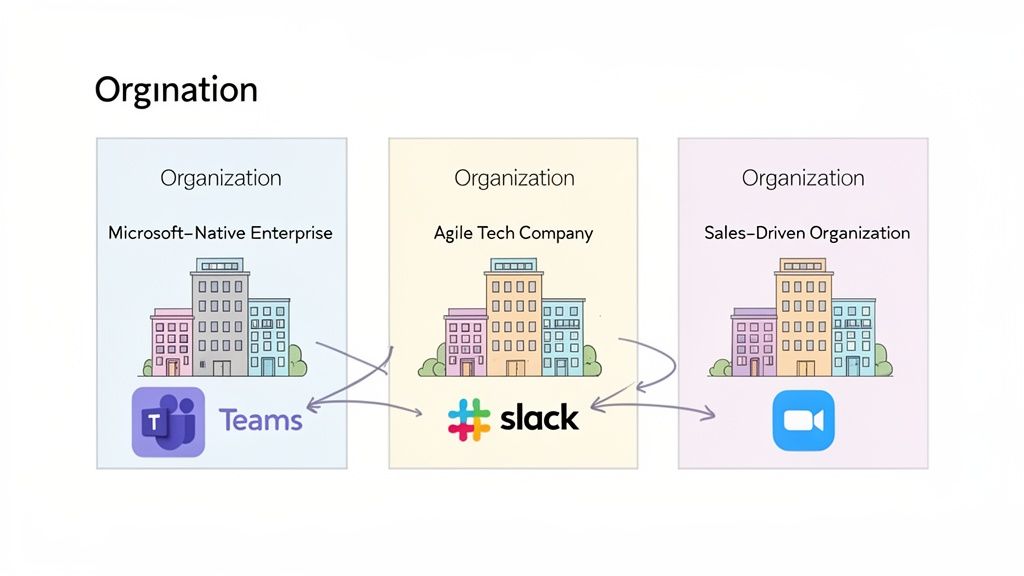
Let's break down a few common scenarios to help you figure out which platform profile fits your organization best. This isn't just about features; it's about finding the tool that will feel like a natural extension of your culture.
The Microsoft-Native Enterprise
If your company already runs on the Microsoft 365 suite, adopting Microsoft Teams is often the path of least resistance. It just makes sense. The deep, native integration with Outlook, SharePoint, and the rest of the Office apps creates a cohesive, secure ecosystem that simplifies life for your IT department and often lowers the total cost of ownership.
In these environments, team recognition usually ties into larger, enterprise-level HR platforms that plug directly into Teams. This setup is ideal for formal, structured programs that need to align with established corporate policies, making sure every acknowledgment is visible, tracked, and compliant. For instance, a manager might use a 'Praise' feature within a Teams app to submit a formal nomination for 'Employee of the Month,' which is then reviewed by HR.
The Agile Tech Company
For fast-paced tech startups and creative agencies, Slack is often the heartbeat of the company. Its open, channel-based structure, powerful API, and massive library of app integrations are built for rapid-fire innovation and agile development. Slack’s entire design philosophy is centered around transparency and spontaneous collaboration—hallmarks of a modern tech culture.
Recognition here needs to be lightweight, peer-to-peer, and woven directly into the daily conversation. It's important because, in a fast-moving environment, annual reviews are too slow to reinforce positive behaviors. Immediate feedback keeps momentum high.
When appreciation is as simple as an emoji reaction in a public channel, it becomes a natural, continuous cultural ritual rather than a formal, top-down event.
Here’s a real-world example: an engineer pushes a critical hotfix late on a Friday. Teammates can immediately celebrate the win right in the #dev-team channel using a recognition app. That instant, public praise does more than just make someone feel good—it reinforces a culture of mutual support and high performance right where the work happens.
The Sales-Driven Organization
Many companies, especially those with large sales departments or client-facing teams, find a hybrid model works best. They might rely on Zoom as their gold standard for high-stakes external video calls, where its rock-solid reliability is crucial for building client trust. Meanwhile, those same teams often turn to Slack for quick internal updates, project coordination, and asynchronous chat.
This "best-of-both-worlds" approach lets different departments use the sharpest tool for their specific job without sacrificing a connected internal culture. A sales team can close a major deal on a Zoom call and then immediately celebrate it in a dedicated Slack channel, making that win visible and exciting for the whole company. For example, a salesperson could post "Just closed the Acme deal! 🎉" in a #sales-wins channel, and the entire company can instantly see and celebrate the success.
Ultimately, you can't know for sure until you try it. Before you commit to a company-wide rollout, HR and IT leaders should run a small pilot program with a cross-functional team. Getting direct feedback on usability, workflow fit, and cultural impact is the most reliable way to make a decision you won't regret.
Frequently Asked Questions
Can Zoom and Slack Really Work Well Together?
Absolutely. A lot of smart teams have settled on a "best-of-both" approach. They lean on Zoom for what it does best: rock-solid video for important client calls, all-hands meetings, and big webinars where quality is non-negotiable.
For everything else—the daily chatter, quick project updates, and building team culture—they live in Slack. The integration is seamless; you can kick off a Zoom call with a simple command right from a Slack channel. This hybrid model means you don't have to sacrifice video quality for great internal communication, or vice-versa.
How Do We Avoid App Overload and Get People to Actually Use New Tools?
That’s the million-dollar question, isn't it? The trick is to stop adding more places for people to go. Instead, you need to bring the tools to where your team already works. The importance of this cannot be overstated: user adoption plummets when new tools feel like a chore. Integrating into existing workflows is key.
Think about it this way: instead of launching yet another separate website for employee recognition, you can use an app like AsanteBot. It works entirely within Slack, turning simple emoji reactions into genuine moments of peer appreciation. A practical example is setting up a #kudos channel where anyone can tag a colleague and describe their contribution. The bot then tracks these shout-outs automatically. This approach just clicks. It feels natural because it’s part of the daily flow, not another password to remember or a new habit to force. By embedding recognition into your team's existing conversations, you make it a visible, effortless part of your culture.
Ready to build a vibrant culture of appreciation right inside Slack? AsanteBot makes it easy to celebrate wins, recognize effort, and connect your team. Start your free trial today.