Let's be honest, how much time does your team waste every day just switching between HubSpot and Slack? It feels like a small thing, but those minutes add up fast. This is exactly where the HubSpot Slack integration comes in—it stops the endless app-toggling.
Table of Contents
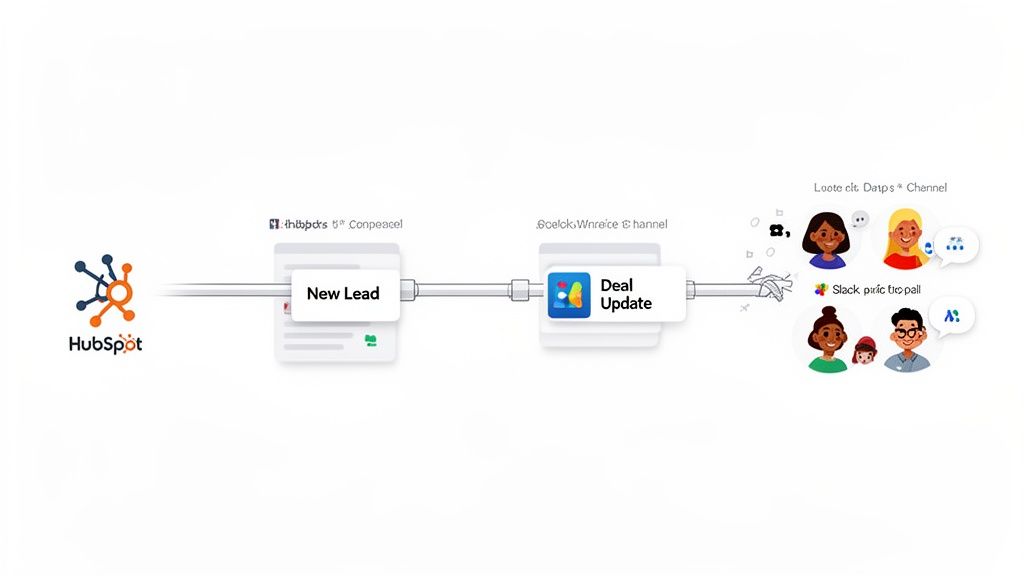
Think of it as the central nervous system for your revenue teams. Instead of reps having to live inside the CRM, critical updates like new leads and deal updates get pushed directly into the Slack channels where your team is already talking and working.
This isn't just about saving a few clicks. It's about building a more responsive, collaborative team that has the full context they need, right when they need it. You're strategically removing friction from your entire sales and service process.
Speed Up Your Sales Cycle
The most immediate win here is speed. Imagine a hot prospect fills out a demo request on your site. Instead of that lead sitting in a queue, a real-time alert hits your #new-leads channel in Slack. The right sales rep can jump on it in minutes, not hours, which can make all the difference.
As a practical example, a B2B software company I know configured their integration so that leads from enterprise-level companies (based on HubSpot's company size property) are routed to a special #tier-1-leads channel. This ensures their most experienced reps see and claim the highest-value opportunities instantly.
Boost Collaboration and Celebrate Wins
This integration is also fantastic for breaking down departmental silos. When a sales rep moves a deal to "Closed-Won," you can have an automated alert pop up in a company-wide #wins channel. Suddenly, marketing knows their campaign worked, and the delivery team knows a new project is coming. Everyone is on the same page.
But it goes deeper than that. Publicly celebrating a new deal gives everyone a chance to pile on the emojis and congratulate the team. This is a simple but powerful form of team recognition. It's important because it makes success visible, reinforces the behaviors you want to see, and helps build a culture where everyone feels connected to the company's victories. This kind of real-time recognition is gold for morale.
"By centralizing notifications, you transform your CRM from a static database into a dynamic, real-time feed of business activity. This visibility empowers faster decision-making and ensures no opportunity is missed."
The push for this kind of connectivity is huge. HubSpot's App Marketplace now boasts over 1,500 integrations, showing just how much businesses want to cut down on context switching. The numbers back it up, too—research has found that well-implemented CRM integrations can deliver an incredible 871% return on investment. You can read more about the impact of integrated software on Cetrix.
Connecting HubSpot and Slack the Right Way
Getting the connection right from the start is half the battle. If you do this properly, you’ll avoid a ton of cleanup and frustration down the road. Let’s walk through the native integration, focusing on how to build an organized and genuinely useful information flow from day one.
It all starts in Slack. Pop open your workspace, find the “Apps” section, and search for HubSpot. Click “Add,” and you’re off to the races. This simple step installs the bridge that lets HubSpot send alerts and allows your team to use helpful slash commands.
Once the app is added, you'll be prompted to connect it to your HubSpot account. This is just a standard authentication step that gives the two platforms permission to talk to each other securely.
Set Up Dedicated Channels to Keep Things Clean
Whatever you do, don't just dump all your HubSpot alerts into a single, noisy channel. That's the fastest way to get everyone to mute it. The key is to be strategic.
Think about creating dedicated channels for specific types of information. This keeps your integration focused and actionable.
Here are a few practical examples that work really well:
#new-leads-tier1: Perfect for high-value leads. Maybe they filled out a demo request form or match your ideal customer profile. This gets your top reps on the most important opportunities immediately.#deal-alerts-enterprise: A great way to track your biggest deals. It gives leadership and key stakeholders a clean view of progress without bogging down the main sales channel.#urgent-support-tickets: When a high-priority ticket comes in, this channel lets your support leads jump on it right away. No more crucial issues getting lost in the shuffle.#team-wins: A dedicated channel for celebrating closed deals, successful marketing campaigns, and positive customer feedback. This centralizes team recognition and boosts morale.
This is the HubSpot app page you'll be looking for inside Slack. It’s where the magic begins.
Remember, you're not just adding a notification bot; you're actually embedding a piece of your CRM right into your team's primary communication tool.
Your First Notification: Making it Count
With your channels set up, it’s time to build your first automated alert using HubSpot Workflows. This is where you can go beyond just announcing a new lead and start delivering real, actionable context.
A "New MQL (Marketing Qualified Lead)" alert is always a great first workflow. In your HubSpot workflow, you’ll choose "Send a Slack notification" as your action. The trick is to customize the message with personalization tokens.
For a practical example, instead of a generic alert, make it something like this: "🔥 New MQL! [Contact Name] from [Company Name] just downloaded the [Recent Conversion] e-book. Assigned to [Contact Owner]."
A message like that isn't just an alert; it's a mini-briefing. The sales rep instantly knows the lead's name, their company, what they're interested in, and that the ball is in their court—all without ever leaving Slack.
This approach ensures the right information gets to the right people, right away. As you build this out, it’s always a good idea to follow some essential software integration best practices to keep the connection between your tools stable and scalable.
Unlocking Powerful Automation Recipes for Your Teams
With the basic connection sorted, now for the fun part. This is where the HubSpot Slack integration goes from being a simple notification tool to a full-blown engine for your revenue teams. Let's build out a few practical, automated workflows that actually save time, tighten up collaboration, and add real dollars to your bottom line.
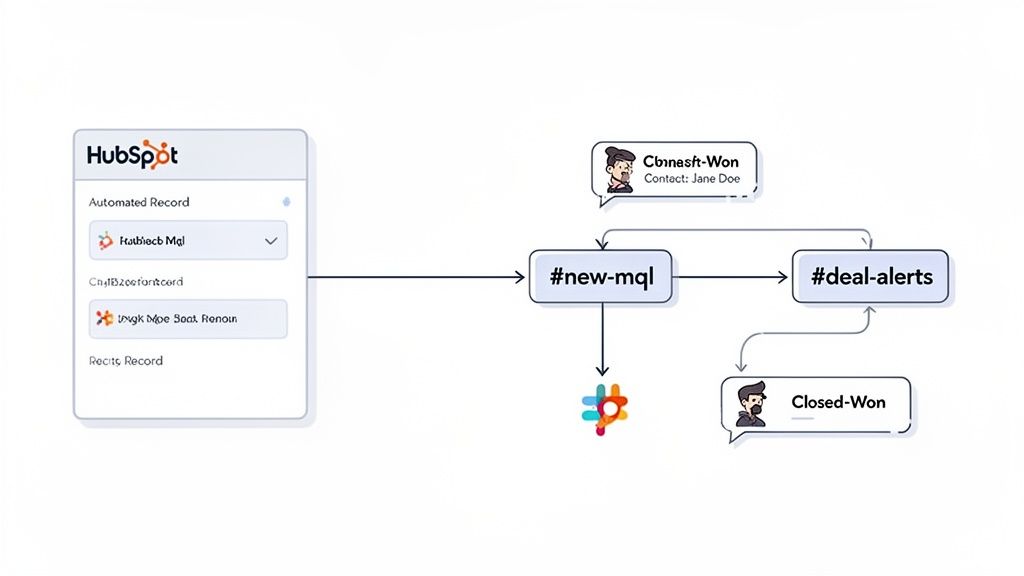
The goal here is to make Slack a smart, proactive extension of your CRM. Stop making your team hunt for information in HubSpot—use workflows to push the right data, to the right people, at exactly the right time.
Automation for Your Sales Team
Picture this: a deal flips to "Closed-Won." That’s a huge moment, but it’s also a critical handoff point from sales to onboarding or customer success. Instead of relying on a clunky chain of emails or trying to schedule a meeting, you can automate the entire kickoff.
Here’s a practical example of that workflow:
- Trigger: The Deal Stage changes to 'Closed-Won'.
- Action: A new, private Slack channel is automatically created, named something like
proj-[Deal Name]. - Next Action: The Account Manager and the assigned Project Lead are instantly invited to the new channel.
- Final Action: A welcome message pops up, complete with a link to the HubSpot Deal record, key contacts, and the total deal value.
Just like that, a single workflow gets rid of all that manual admin work. It ensures the project team has everything they need from minute one, creating a much smoother transition and a better experience for your new client.
The real power comes from using HubSpot's data to trigger action where your team already works. By automating handoffs and key updates, you not only save time but also dramatically reduce the risk of important details getting lost in the shuffle.
Fueling Your Marketing and Content Engines
Your marketing team can get a ton of value from targeted Slack alerts, too. When someone takes a high-intent action, letting the right people know immediately can spark valuable follow-up or fresh content ideas.
Let's say a lead downloads a major piece of content, like your annual industry report. Here's a practical workflow example:
- Trigger: A contact fills out the form for the "2024 State of the Industry Report."
- Action: A notification gets posted in your
#new-mqlchannel. - Message: "💡 Hot Lead Alert!
[Contact First Name]from[Company Name]just downloaded our industry report. Time to follow up!"
This isn't just a heads-up for sales; it gives your content team real-time feedback on which assets are actually hitting the mark. Seeing those wins roll into Slack live is a massive morale booster. This is a subtle but important form of team recognition; it publicly validates the hard work the content team puts in and shows the direct impact of their efforts.
Workflows like these aren't just for convenience—they have a real impact. Research shows that well-integrated sales tools can boost customer retention by 36% and improve sales forecast accuracy by 38%.
To really get the most out of these integrations, your teams need to get good at creating effective workflows. The core logic of building smart, trigger-based recipes is the same whether you’re in HubSpot or another tool. The better your team understands it, the more powerful your automations will become.
HubSpot Slack Automation Recipes by Department
To get you started, here are a few practical workflow ideas that different teams can put into action right away. Think of these as templates you can adapt to fit your company's specific processes.
| Department | Trigger in HubSpot | Action in Slack | Business Value |
|---|---|---|---|
| Sales | A deal's 'Close Date' is within 7 days, but there's no 'Next Step' scheduled. | Post an alert to the #sales-pipeline channel, tagging the deal owner. |
Prevents deals from stalling and improves forecast accuracy by prompting timely action. |
| Marketing | A contact's 'Lead Score' exceeds a threshold (e.g., 100). | Send a notification to a #hot-leads channel with key contact details. |
Speeds up lead response times, ensuring sales engages with the most qualified prospects first. |
| Customer Success | A ticket's 'Priority' is set to 'High'. | Immediately notify the #support-triage channel and tag the on-call manager. |
Enables faster response to critical customer issues, reducing churn and improving satisfaction. |
| HR/People Ops | An employee's 'Hire Date' anniversary is today. | Post a celebratory message in the #announcements or #kudos channel. |
Boosts morale and fosters a positive company culture by automating employee recognition. |
These are just the beginning. Once your teams get comfortable building these automations, they'll start seeing opportunities to connect HubSpot and Slack in all sorts of new and creative ways.
Taking It a Step Further with Zapier and Make
The built-in HubSpot integration for Slack is fantastic for basic, direct communication. It’s a workhorse. But what happens when you need that alert to do more than just show up in a channel? That’s where you graduate to tools like Zapier and Make (which you might remember as Integromat).
Think of these platforms as the central nervous system for your entire tech stack. They’re the glue you need when an event in HubSpot has to kick off a chain reaction across several other apps. The native integration can tell Slack about a new deal, but it can’t tell your project management tool, your accounting software, or your reporting spreadsheet.
When You Absolutely Need a Third-Party Connector
Here’s the simplest way to think about it: the native integration is perfect for a straight line, like HubSpot → Slack. Anything more complex, like HubSpot → Slack + Another App, calls for a connector. These tools are what let you build automations that mirror how your business actually works across different teams and software.
A classic, practical example is handling customer feedback. Your support team might log a brilliant feature request in a HubSpot ticket, but that insight is gold for the product team—and they probably live in Trello or Asana, not HubSpot.
A simple Zapier workflow can bridge that gap instantly:
- Trigger: A new ticket is created in HubSpot and tagged "Feature Request."
- Action 1: Zapier automatically creates a new card on the product team's Trello board, pulling in all the key details from the ticket.
- Action 2: At the same time, it posts a message in the
#product-feedbackSlack channel, linking to both the new Trello card and the original HubSpot ticket.
Suddenly, you have a seamless process. Feedback gets captured, organized, and flagged for the right people without anyone having to remember to copy and paste a single thing. If you want to dive deeper into these kinds of connections, this guide on powerful automations with Slack and Zapier has some great ideas.
Building Advanced Workflows Across Multiple Apps
Let’s look at another powerful use case: reporting. HubSpot's dashboards are great for a high-level view, but maybe your finance or marketing team has a super-detailed model they’ve built out in Google Sheets. Manually exporting data to keep it updated is a recipe for mistakes and wasted time.
With a tool like Make, you could build a practical scenario that completely automates this:
- First, it watches for new contacts in HubSpot that fit specific criteria, like coming from a particular lead source.
- Next, it adds a new row to a specific Google Sheet, populating the columns with the relevant contact properties.
- Finally, it posts a daily summary to a
#management-kpisSlack channel at 8 AM every morning, reporting the total number of new contacts added to the sheet in the last 24 hours.
This isn't just a notification; it's a completely automated data pipeline. It keeps your custom dashboards fresh and delivers a need-to-know summary to leadership without anyone lifting a finger.
These kinds of workflows are also perfect for celebrating team wins. When a deal stage changes to "Closed Won" in HubSpot, a Zap can instantly fire off a celebratory GIF in your #wins channel. It's a small touch, but it’s a fantastic way to build a culture of team recognition. The importance of this cannot be overstated; frequent, visible celebration makes success feel like a shared team effort, which boosts motivation and engagement for the whole company.
Fostering a Culture of Recognition with People Ops
Your HubSpot and Slack integration can do far more than just streamline operations—it can be a serious catalyst for building your company culture. People Ops leaders can cleverly tap into HubSpot's data to automate and amplify team recognition, turning everyday business wins into genuine moments of celebration.
Picture this practical example: the second a sales rep marks a deal as ‘Closed-Won’ in HubSpot, an automated message pops up in a company-wide #celebrations channel. It's a simple alert, but it makes success highly visible and creates a shared sense of excitement across the entire organization. The importance of this public recognition is that it reinforces winning behaviors and shows the entire company what success looks like in real-time.
Turning Alerts into Action
You can easily elevate this process by linking the HubSpot alert to a dedicated recognition app like AsanteBot. Imagine the "Closed-Won" notification hits a private channel just for managers. This can act as a trigger, prompting the manager to send public kudos and recognition points directly to the sales rep in the main #celebrations thread.
This same playbook works beautifully across different teams:
- Marketing: Instantly celebrate when the team smashes a quarterly MQL goal.
- Customer Service: Announce to the company when a customer leaves a perfect 10/10 CSAT score.
- Project Management: Recognize the entire project team the moment a major milestone is marked as complete in HubSpot.
Suddenly, your HubSpot-Slack integration transforms from a basic notification system into a proactive engine for building a positive, high-performance culture. It's a smart strategy that mirrors what we've seen from other successful platforms. Slack's explosive growth was fueled by its massive integration ecosystem, and HubSpot is following a similar path by creating these interconnected advantages.
Choosing the Right Tools for Culture Building
Deciding between the native HubSpot integration and a more flexible connector really boils down to your specific goals. Are you just sending simple alerts, or are you trying to build a multi-step workflow?
This flowchart can help you think through the decision.
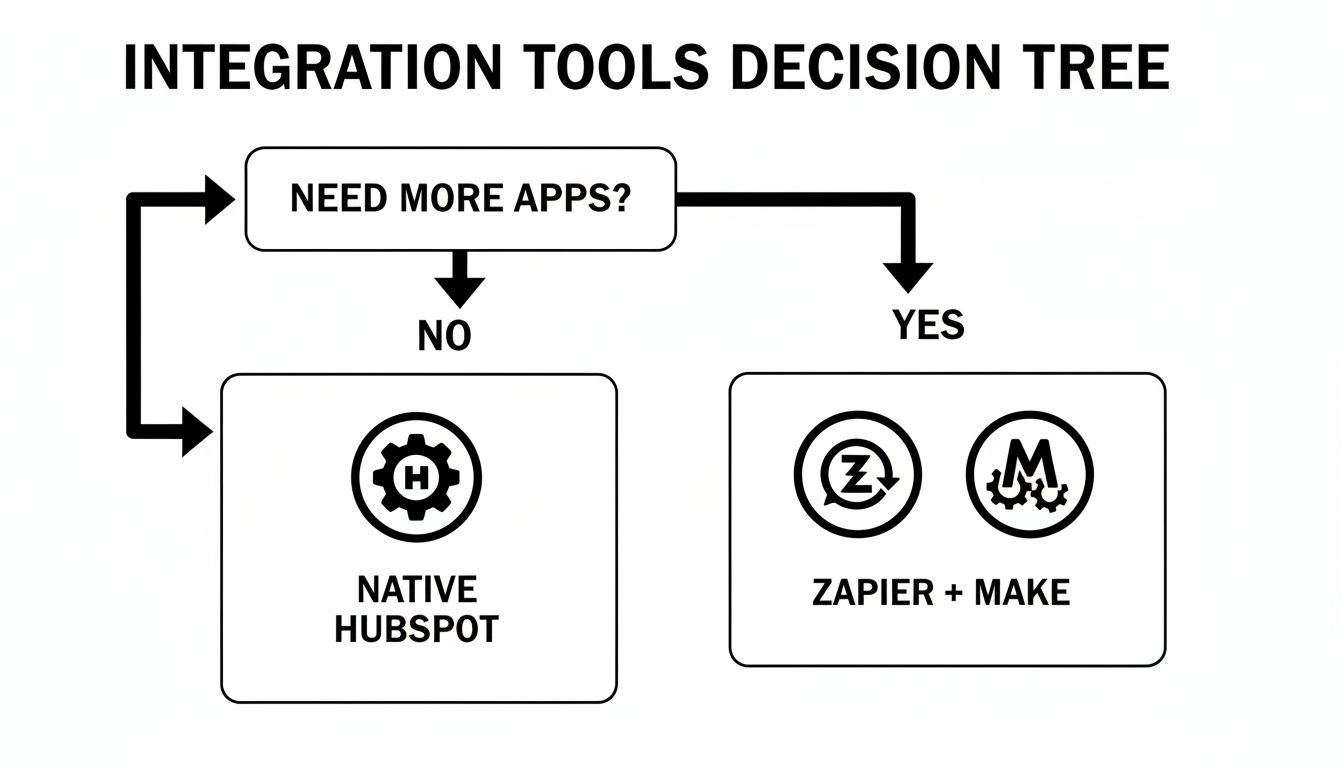
As you can see, if you just need HubSpot to talk directly to Slack, the native app is perfect. But the moment you want to chain workflows together—involving recognition apps or other third-party tools—platforms like Zapier or Make become indispensable.
The importance of team recognition cannot be overstated. When wins are consistently made visible and celebrated in the channels where work happens, it reinforces desired behaviors and shows employees that their contributions are valued.
By turning raw data points into moments of authentic praise, you create a powerful cycle of motivation and engagement. For those looking to build out a more structured approach, you can explore the foundations of recognition and rewards in our detailed guide. This ensures your integration isn’t just driving efficiency, but is actively strengthening the very fabric of your company’s culture.
Answering Your HubSpot Slack Integration Questions
As you start weaving HubSpot and Slack together, you'll naturally run into a few questions. It happens to everyone. Let's tackle some of the most common ones I hear from teams who are fine-tuning their setup or just getting curious about what's possible.
Can I Create HubSpot Tasks Directly from Slack?
Yes, you absolutely can. This is one of the most powerful ways to turn team chatter into trackable action. Instead of letting a good idea get buried in a conversation, you can use Slack’s built-in shortcuts or the /hubspot-task slash command to instantly create a new task.
Here’s a practical example: your manager drops a message like, "Hey, can someone follow up with Acme Corp about their renewal?"—boom. You can use the "More actions" menu on that Slack message, select "Create a task," and link it to the Acme Corp company record in HubSpot on the spot. You can assign it, set a due date, and know for sure it won't be forgotten, all without leaving the conversation.
When Should I Use Zapier Instead of the Native Integration?
The native integration is fantastic for straightforward HubSpot → Slack workflows, like sending deal alerts or creating those tasks we just talked about. It's clean, simple, and reliable for anything happening between just those two platforms.
You'll want to bring in a tool like Zapier or Make when you need to create a chain reaction involving a third app. Imagine a new, high-value deal is created in HubSpot. You don't just want a Slack alert; you also need a new project spun up in Asana and an invoice drafted in QuickBooks. The native tool can only handle the Slack piece of that puzzle. Zapier acts as the switchboard operator, connecting all three actions together so they happen automatically.
The key is specificity. Overwhelming your team with alerts is the fastest way to get them to ignore the integration entirely. The goal is valuable, actionable information, not just more noise.
How Do I Avoid Overwhelming My Team with Notifications?
This is probably the most important question for making the integration stick long-term. If every little thing triggers a notification, people will just tune it out. The answer is to be ruthless about what you send.
- Create dedicated channels. Don't dump every alert into your main team channel. Set up specific homes for different types of information, like
#new-leads-tier1or#urgent-support-tickets. - Get granular with your triggers. Use HubSpot's workflow enrollment criteria to be incredibly precise. A practical example: only send an alert for deals worth more than $10,000, or for new leads that come from a specific target industry like "Software".
- Ask for feedback. Don't set it and forget it. Check in with your team every so often. Are these pings actually helpful? Fine-tune the rules based on what they tell you. This is also where the importance of team recognition comes in—when some alerts are celebrating wins, they feel motivating, not like another interruption.
Is It Possible to Send HubSpot Reports to Slack?
It is, and it's a brilliant way to keep everyone focused on the numbers that matter. While there isn't a simple "send this report to Slack" button inside HubSpot, you can set up a clever workaround. First, schedule your key HubSpot dashboards and reports to be emailed to you regularly (daily, weekly, whatever you need).
Then, use a tool that gives your Slack channel a unique email address (Slack's own email app works perfectly for this). Just set that Slack channel's email as the recipient for your HubSpot reports. Now, your #weekly-kpis channel will automatically get updated with the latest data, putting performance metrics right where the team is already working.
Ready to make recognition a core part of your team's daily workflow? AsanteBot makes it simple to celebrate wins, share kudos, and build a stronger culture directly within Slack. Start your free trial today and see the difference it makes.