Think of your BambooHR login page as the main entrance to your company's HR universe. It's more than just a place to type a password; it’s the starting point for everything you do, from checking your time off balance to updating your personal goals. A hassle-free login gets your day started right.
Table of Contents
The login page is the gateway to managing your entire employee lifecycle. Every task, whether it's requesting leave, reviewing performance feedback, or just looking up a colleague's contact info, starts right here.
With over 20,000 companies using the platform, BambooHR has become the central nervous system for countless businesses. The United States alone makes up 67% of this user base, a testament to its importance in modern people management. You can dive deeper into these customer insights on thomsondata.com.
Your Path to Essential HR Information
Once you're in, BambooHR puts crucial information right at your fingertips. Here’s a quick look at what you can do immediately:
- Time Off Requests: See your available leave balances and put in requests for vacation or sick days in seconds.
- Performance Goals: Check in on your objectives, track how far you've come, and read feedback from your manager.
- Company Directory: Easily find contact details, job titles, and team information for everyone in the company.
The main login screen is designed to be simple and get you where you need to go without any fuss.
You'll usually see a field for your company's unique subdomain (yourcompany.bamboohr.com), which makes sure you land in the right spot.
Why Team Recognition Starts at Login
The information stored in BambooHR—like work anniversaries, birthdays, and performance milestones—is gold for building a great company culture. When you connect this data to other tools, like AsanteBot for Slack, you can turn simple data points into meaningful moments of recognition. This is crucial because when employees feel seen and valued, their engagement, motivation, and loyalty increase dramatically. A culture of recognition reduces turnover and creates a more positive, productive work environment.
For example: An employee's work anniversary is noted in BambooHR. An integrated tool can automatically post a celebratory message in a public Slack channel for the whole team to see. A simple data entry is instantly transformed into public praise that makes people feel seen and valued.
This kind of integration makes team recognition a proactive, ongoing practice. It reinforces positive behaviors and boosts morale, all starting from the moment you sign in.
How to Log In to Your BambooHR Account
Getting into your BambooHR account is your first step toward managing everything from tracking your PTO to celebrating team wins. It's a pretty straightforward process, but the exact steps can vary depending on how your company has set things up. Let’s walk through the three main ways you’ll sign in.
This simple flow shows how logging in is the gateway to your HR data, which in turn helps build a culture of recognition and engagement.
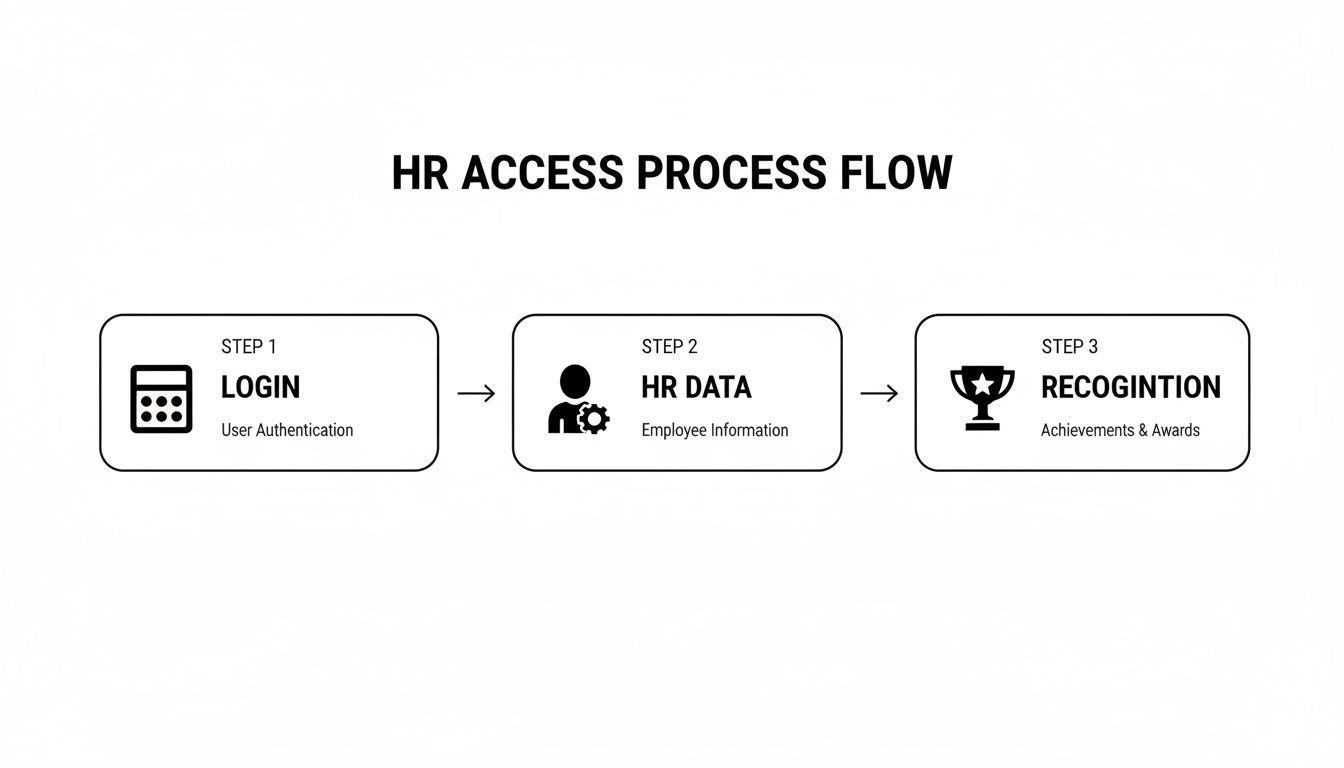
As you can see, signing in is more than just passing through a gate; it's the starting point for turning employee data into positive team interactions.
Direct Login with Your Company URL
The most traditional way to get in is by using your company’s unique BambooHR web address. This is usually in the format of yourcompany.bamboohr.com.
- Head to your company's specific URL. Your HR team should have shared this with you when you first joined. If you can't find it, just ask!
- Enter your email address and password. These are the credentials you created during your initial setup.
- Click "Log In." And that's it! You'll land right on your employee dashboard.
This method is quick and direct, but keep in mind that some companies add extra security layers. You might be asked for a second verification step. To really lock down sensitive HR data, it's a good idea to understand what multi-factor authentication is and how it adds a critical shield to your login process.
Single Sign-On (SSO) with Google or Okta
To make life easier and a whole lot more secure, many organizations use Single Sign-On (SSO). This means you don't need a separate password for BambooHR. Instead, you just use the same work credentials you already have for services like Google Workspace or Okta.
When you visit your company's BambooHR page, you'll see a button like "Log in with Google" or "Log in with Okta." Clicking it will bounce you over to the familiar Google or Okta sign-in page. Once you're authenticated there, you're automatically redirected right into your BambooHR account. No extra password needed.
Here’s a practical example: Sarah, a marketing manager, starts her day by logging into her company's Google account. Later, she needs to approve a team member's vacation request. She just navigates to the BambooHR login page, clicks "Sign in with Google," and gets in instantly. No fumbling for another password.
This approach doesn't just save a few seconds; it dramatically boosts security by centralizing who can access what.
Mobile App Login for On-the-Go Access
For those times you're not at your desk, the BambooHR mobile app is a lifesaver. Once you've downloaded it from the App Store or Google Play, logging in is a breeze.
The app will first ask for your company's domain (yourcompany.bamboohr.com). After that, you'll simply enter your usual login details or use the SSO option if your company has it enabled.
Mobile access is perfect for handling quick tasks—like approving a request, checking your upcoming schedule, or pulling up a colleague’s contact info from anywhere.
Solving Common BambooHR Login Problems
Even the most reliable systems can hit a snag now and then. Staring at an error message when you just need to get something done is frustrating, but don't worry—most BambooHR login problems are surprisingly easy to fix. You can usually troubleshoot the issue yourself in just a couple of minutes.
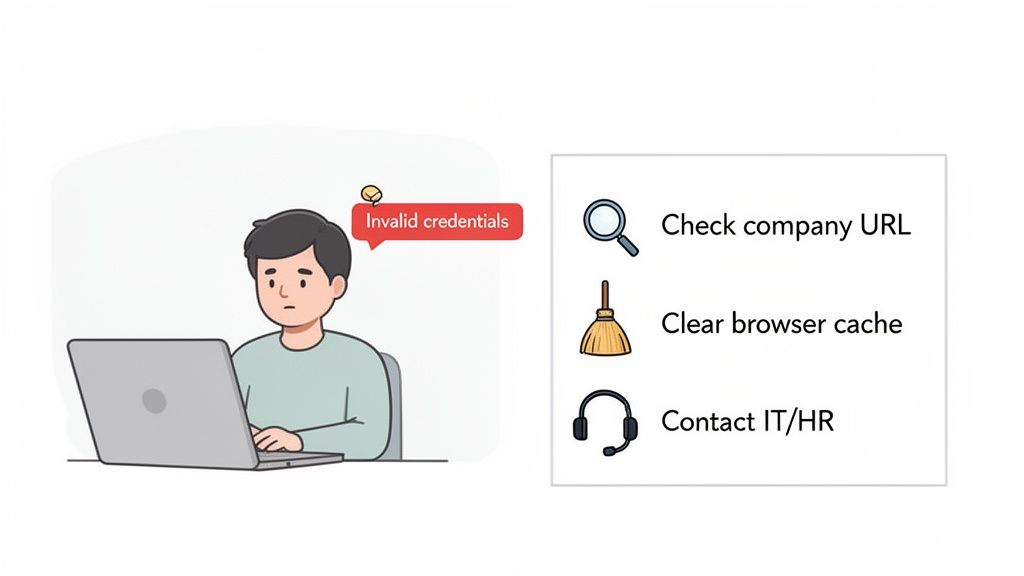
Let's walk through the most common login roadblocks and the simple steps to get past them.
Invalid Credentials or Company Domain Not Found
This is, by far, the most frequent login hiccup. Before you do anything else, take a second look at the web address. Your company’s login page should always be in the yourcompany.bamboohr.com format. A simple typo in the company name is the usual suspect.
If the URL is right, the problem is likely your password. Carefully re-enter it, watching out for Caps Lock and any special characters. Still no luck? The "Forgot Password?" link is your best friend here.
Sometimes, your web browser is the one causing the trouble. Old, stored data can create conflicts, so clearing your browser's cache and cookies often fixes these strange, unexpected login issues by forcing it to fetch a fresh version of the page.
The SSO Authentication Loop
Single Sign-On (SSO) is fantastic for convenience, but sometimes it can trap you in an endless redirect loop. You know the one: you click to log in, get sent to your SSO provider like Google or Okta, and then get punted right back to the BambooHR login screen. Over and over.
This isn't something you can fix on your own. It almost always points to a configuration problem happening behind the scenes.
Instead of getting stuck in a cycle of frustration, your first and only move should be to contact your IT or HR administrator. A quick message like, "Hey, I'm stuck in an SSO loop trying to access my BambooHR login. Can you please take a look?" is all it takes. They have the admin access needed to sort out the connection between BambooHR and the SSO provider.
Keeping Your HR Data and Admin Controls Locked Down
For anyone in an HR admin role, protecting employee data is job one. That security starts the moment someone lands on the BambooHR login page. Think of your admin controls as the keys to the kingdom—they're designed to make absolutely sure only the right people get access to sensitive information. Putting strong security measures in place isn't just a "nice-to-have"; it's a core responsibility.
A fantastic first step is to turn on two-factor authentication (2FA) for everyone, especially for your admins. It adds a simple but powerful layer of defense by requiring a second check beyond just a password. Beyond just strong passwords and 2FA, it's also wise to implement advanced cybersecurity frameworks to truly protect your company's most valuable information.
Assigning the Right Access Levels
Let's be honest: not everyone in your company needs to see everything. BambooHR is great at letting you assign permissions based on roles, ensuring people only see what’s relevant to their job. This concept is called the "principle of least privilege," and it’s a cornerstone of solid data security.
You can get really specific by creating custom access levels for different groups. For example:
- Employees: They can see their own profiles, put in time-off requests, and browse the company directory. Simple.
- Managers: They get access to their direct reports' info, can approve requests, and review performance data.
- HR Admins: This is the "full access" pass to manage all employee data, run critical reports, and tweak system settings.
Nailing these permissions is crucial. To get a better handle on this, you can learn more about how to use user roles in systems that connect with your HR platform. This level of control is what stops accidental data leaks and keeps employee privacy intact.
Turning Secure Data into Real Team Engagement
When you know your data is secure, you can confidently connect it to tools that genuinely boost company culture. For instance, admins can sync employee milestones from BambooHR directly to an app like AsanteBot, which then automates birthday and work anniversary shout-outs in Slack. Publicly celebrating these moments is important because it fosters a sense of belonging and shows every individual that they are a valued part of the team.
Here’s a practical example: The system detects it's Maria's five-year work anniversary. AsanteBot automatically posts a message in the main company channel: "Let's all congratulate @Maria on 5 amazing years with us! Thank you for your dedication and hard work." This simple, automated action makes recognition consistent and visible to everyone.
Keeping an eye on workforce data can also sharpen your engagement strategies. For example, BambooHR's Workforce Insights from January 2025 showed a 25% drop in PTO requests compared to the previous year, with a global approval rate of only 48%. Data points like these, when managed securely, give HR leaders the insights they need to plan better and stay in tune with employee well-being. You can find more workforce trends on bamboohr.com.
Turning HR Data into Meaningful Recognition
Once you’re in BambooHR, you’re sitting on a goldmine of information. It's easy to think of it as just a tool for administrative tasks, but its real power lies in turning that data into fuel for a vibrant company culture. This is where you shift from just managing people to genuinely inspiring them. The importance of this shift cannot be overstated; consistent, meaningful recognition is a key driver of employee satisfaction and retention.
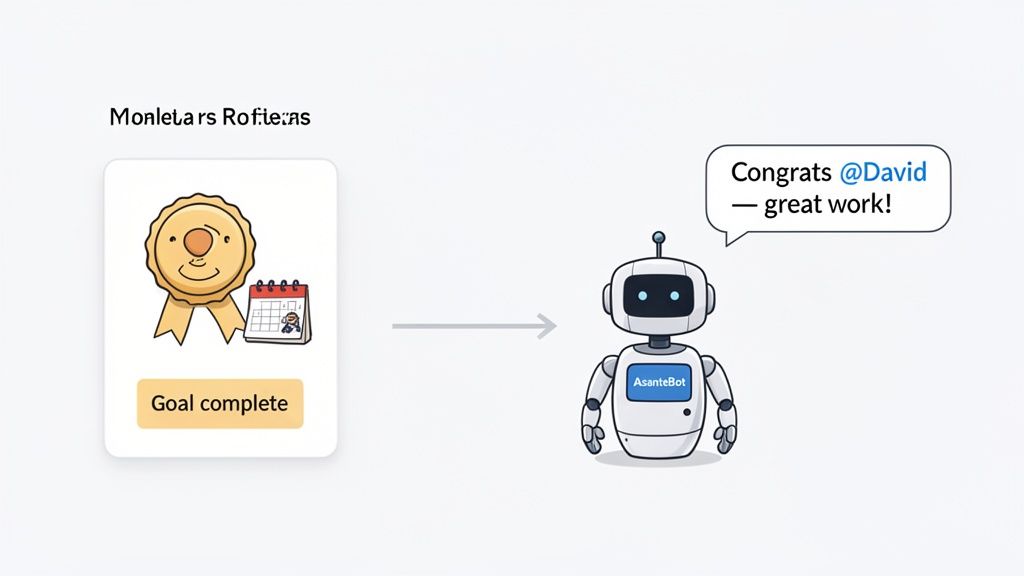
Think about the data points you already track: project completions, performance goals, work anniversaries. Each one is a perfect opportunity for recognition. When people feel seen and valued for their contributions, their engagement and motivation skyrocket. It’s about turning everyday achievements into celebrated milestones.
Making Recognition Specific and Timely
A generic "good job" is nice, but it doesn't really land. What sticks with people is specific, detailed praise. Using the data right inside BambooHR lets managers deliver recognition that's both timely and detailed, which reinforces the exact behaviors you want to see more of. This is important because it clarifies what success looks like and encourages others to emulate those positive actions.
Practical Example: A manager gets a notification that their direct report, David, just hit a major sales goal. Instead of waiting for the weekly 1-on-1, they can immediately use a tool like AsanteBot to post in a public Slack channel: "Huge congratulations to @David for crushing the Q2 sales target! Your strategic approach to the new client account was a game-changer. Great work!"
That kind of instant, public shout-out connects the dots between an employee's effort and a positive outcome, making them feel valued right in the moment. This approach is a core principle of the best employee recognition software, which often plugs directly into HR systems to automate and amplify these key moments.
Using HR Insights for Smarter Engagement
Beyond celebrating individual wins, the data in BambooHR gives you a bird's-eye view of your entire workforce. For example, the February 2025 BambooHR Workforce Insights report, which analyzed 4.9 million employee data points, uncovered major regional differences in hiring and turnover.
Understanding trends like these helps HR leaders fine-tune their engagement strategies to what their specific teams actually need. By connecting data to action, you build a workplace where people feel supported and genuinely appreciated. You can dig deeper into these global workforce dynamics on bamboohr.com.
Got Questions About Your BambooHR Login? We Have Answers.
Let's be honest, logging into a new system can sometimes be a bit of a headache. You're not alone if you've ever found yourself stuck. We've put together some quick, straightforward answers to the most common questions we hear about getting into BambooHR.
Think of this as your go-to cheat sheet, whether you're logging in for the first time or you're an admin trying to help your team.
What’s My Company’s Login URL?
This is easily the most common stumbling block. Your company’s login page isn't a generic BambooHR site; it’s a unique URL that looks something like this: yourcompany.bamboohr.com. That "yourcompany" part is your organization's special subdomain.
If you don't know it, don't waste time guessing. The fastest way to get the right link is to simply ask your HR department or your direct manager. They’ll point you in the right direction and make sure you're not trying to log into someone else's system by mistake.
Why Can’t I Reset My Password Directly if We Use SSO?
If your company uses Single Sign-On (SSO) through a service like Google or Okta, you've probably noticed there's no "Forgot Password" link for you inside BambooHR. That's actually a good thing! It's a security measure.
Your BambooHR login is tied directly to your main company account. So, to reset your password, you need to go through your primary provider (like Google's account recovery). Once you update it there, you'll be able to use those new credentials to get into BambooHR seamlessly.
As an Admin, Can I See Who Has Logged In?
Absolutely. This is a crucial feature for any HR administrator tasked with protecting sensitive employee data. BambooHR keeps detailed access logs, allowing you to see exactly who has logged into the system and when.
This is more than just a security tool; it's essential for audits and maintaining peace of mind.
Regularly checking these logs helps you spot anything out of the ordinary and keep your data secure. A secure system is the foundation for everything else. It’s what lets you confidently use that HR data for positive things—like getting an instant alert when a team member's promotion is finalized in the system, so you can celebrate their success right away.
Turn everyday praise into a powerful habit with AsanteBot. Our Slack app makes it easy to celebrate team wins, track recognition patterns, and build a culture where everyone feels valued. Start building a more connected team today at asantebot.com.