
Typeform Slack Integration: How to Connect Typeform to Slack (Best Methods & Use Cases)
Dusan Milovanovic

Connecting Typeform’s beautiful, conversational forms to your team’s daily hub, Slack, is a simple way to supercharge your workflows. This Typeform Slack integration transforms static data collection—like leads, feedback, and surveys—into a real-time, actionable conversation, ensuring crucial submissions get seen and acted on instantly.
Table of Contents
- Why Connect Typeform to Slack?
- What Is the Typeform Slack Integration?
- Method 1: Native Typeform → Slack Integration
- Method 2: Typeform Slack Integration via Zapier or Make
- Method 3: Typeform Slack Webhook Integration (Advanced)
- Common Typeform → Slack Use Cases
- Limitations of Basic Typeform Slack Integrations
- Enhancing Typeform Submissions Inside Slack (Beyond Notifications)
- Typeform Slack Integration: Which Method Should You Choose?
- Final Thoughts
This guide will walk you through all the ways to integrate Typeform with Slack, from simple notifications to advanced, custom workflows.
Why Connect Typeform to Slack?
Let's be honest: email notifications for form submissions are where good intentions go to die. They’re slow, siloed, and easily buried. While Typeform is brilliant for gathering leads, feedback, or surveys, its real magic happens when those responses land where your team actually works: Slack.
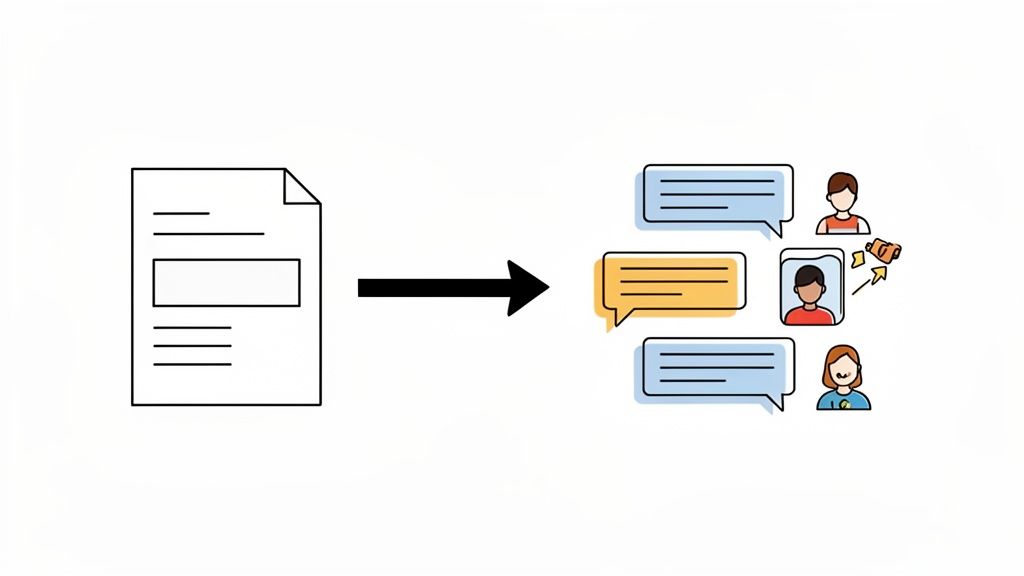
Instead of waiting for someone to check an inbox, your team sees submissions as they happen, turning passive data into immediate action. Common use cases include:
- Lead Alerts: A hot prospect requests a demo. The sales team gets an instant alert in their Slack channel, slashing response times. For example, a message like "New MQL just submitted a demo request! Company: Acme Corp, Contact: [email protected]" can get a salesperson on the phone in minutes.
- Support Requests: A customer flags a critical bug. The alert hits your support channel, letting the team swarm the problem before it escalates.
- Internal Feedback: For HR teams, employee survey responses appear in real-time, allowing you to acknowledge suggestions immediately and build a more responsive culture.
- HR Forms: New hire onboarding forms or PTO requests land directly in the People Ops channel for quick processing.
This simple connection elevates form submissions from a passive data-entry chore into a visible, dynamic part of your team's workflow. Before we jump into the how-to, it's worth getting a sense of where this fits into Typeform's broader integration ecosystem.
What Is the Typeform Slack Integration?
At a high level, the Typeform Slack integration is a bridge that automatically sends form submission data directly into a designated Slack channel or direct message. When someone completes your Typeform, the integration packages up the information and delivers it as a notification.
Typically, the data sent to Slack includes:
- Responses: The answers to each question in your form.
- User Info: Hidden fields or metadata you've collected.
- Submission Time: A timestamp for when the form was completed.
However, "basic" integrations have limitations. They often send every submission to the same place with the same formatting, which can create channel noise and lacks the flexibility to route information based on the content of the responses.
Method 1: Native Typeform → Slack Integration
The fastest and easiest way to connect Typeform to Slack is by using the built-in native integration. It’s designed for simplicity and requires no technical knowledge.
How It Works
You connect your Typeform directly to a specific Slack channel from the "Connect" panel within your Typeform workspace. Once configured, every new form submission will post a new message to that channel.
Here’s a practical example: You create a simple "IT Support Request" form. With the native integration, every time an employee submits a ticket, a message like this appears in your #it-support channel:
New IT Support Request:
- Employee Name: Alex Chen
- Department: Marketing
- Issue: Laptop won't connect to Wi-Fi
- Urgency: High
Pros
- Easy to Set Up: You can have it running in under two minutes.
- No Technical Knowledge Required: Anyone on your team can configure it.
- Reliable: Since it's a first-party integration, it's stable and well-maintained.
Cons
- Limited Formatting: You can’t customize the look and feel of the Slack message.
- No Conditional Logic: It cannot send notifications to different channels based on a user's answers.
- No Routing by Response: All submissions go to one place, regardless of urgency or type.
- No Analytics or Workflows: It's purely for notification; it can't trigger follow-up actions.
Method 2: Typeform Slack Integration via Zapier or Make
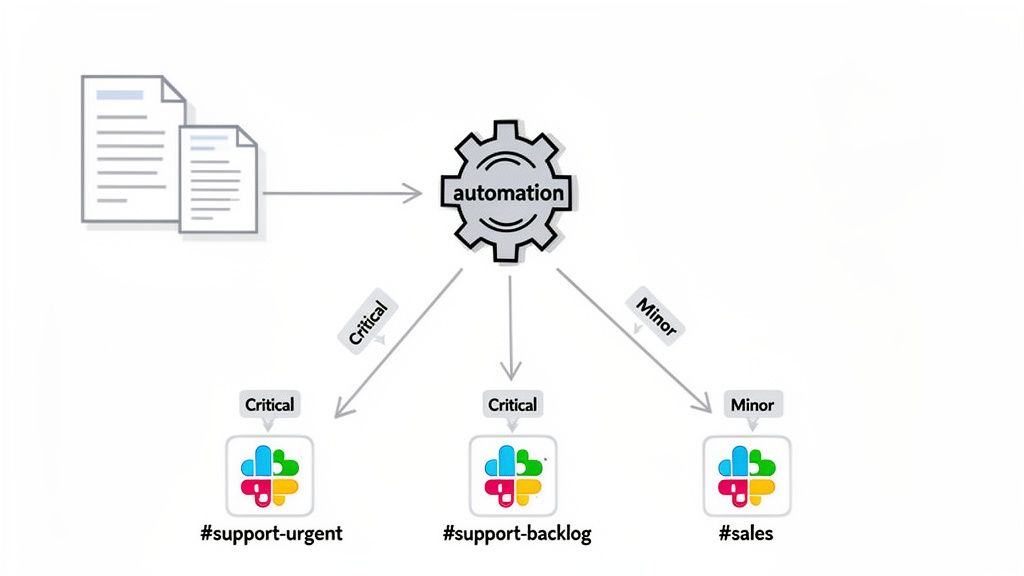
When you need more intelligence in your workflow, automation platforms like Zapier or Make act as a powerful middle layer. They let you build custom, conditional workflows without writing code.
How It Works
You use a "New Typeform Entry" as a trigger in Zapier or Make. Then, you can add filters and logic before the "Send Slack Message" action. This allows you to create dynamic and intelligent notifications.
Practical Example: Let's take that "IT Support Request" form. Using Zapier, you can build a workflow where:
- If "Urgency" is "Critical," it sends a message to the
#it-emergencieschannel and @-mentions the on-call engineer. - If "Urgency" is "Low," it sends a quieter message to the general
#it-supportchannel.
Pros
- More Flexibility: Create complex, multi-step automations.
- Conditional Workflows: Route notifications to different channels or people based on form responses.
- Connect to Other Apps: You can also add steps to create a ticket in Jira or add a row to a Google Sheet in the same workflow.
Cons
- Additional Cost: High-volume or multi-step workflows will likely require a paid plan.
- Can Break Silently: An API change in any of the connected apps could cause the integration to fail without warning.
- Harder to Debug: Troubleshooting involves checking logs in a third-party tool.
- Delays Possible: Notifications are usually fast but can sometimes be delayed depending on the platform's polling interval.
Method 3: Typeform Slack Webhook Integration (Advanced)
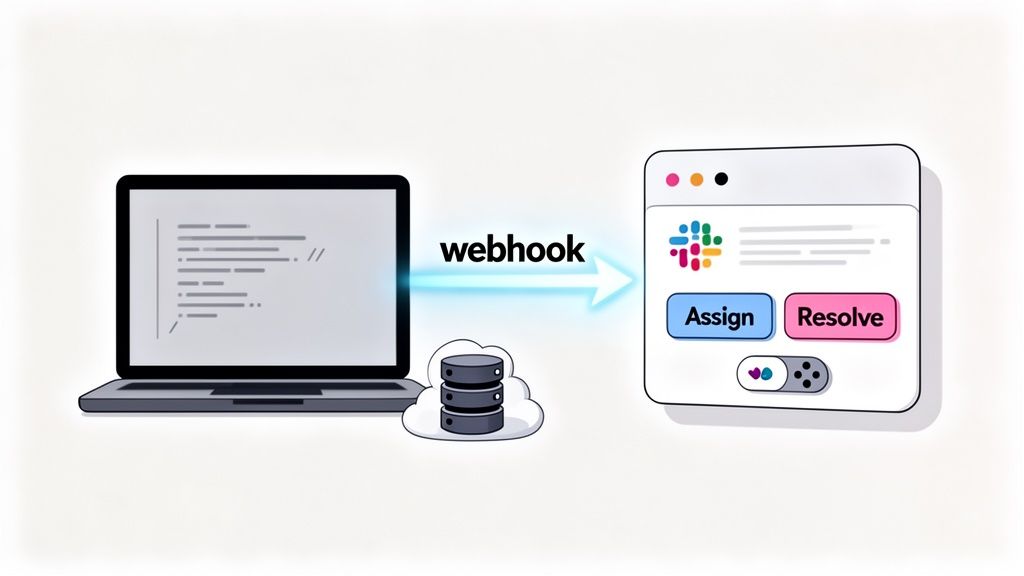
For maximum control and customization, the Typeform Slack webhook is the most powerful option. This method requires engineering resources but offers unparalleled flexibility.
How It Works
A webhook is an automated message Typeform sends to a URL you provide. Your developers write code that "listens" at that URL, receives the form data (as a JSON payload), and then constructs a completely custom message to send to Slack's API.
Practical Example: A customer submits an NPS survey with a score of 10 and a glowing comment. A webhook can trigger a custom-coded function that:
- Parses the high score and positive sentiment.
- Crafts a celebratory message using Slack's Block Kit, including buttons like "Share on Twitter" or "Reply to Customer."
- Posts it to the
#customer-winschannel, tagging the product team.
Pros
- Maximum Flexibility: Complete control over message formatting, content, and interactivity.
- Real-Time Delivery: Webhooks are instantaneous.
- Works with Internal Tools: Can simultaneously send data to your proprietary CRM or backend systems.
Cons
- Requires Engineering Resources: You need a developer to set up and maintain the code.
- No UI for Non-Technical Teams: Changes to the workflow must be done in code.
Common Typeform → Slack Use Cases
Here’s why sending submissions to Slack is a game-changer for common workflows compared to email.
-
New Lead Submissions → Sales Channel
- Why Slack is Better: Email leads get lost in inboxes. A dedicated
#sales-leadschannel creates immediate, public visibility. The first available rep can jump on it, and the team can discuss strategy in a thread right on the notification.
- Why Slack is Better: Email leads get lost in inboxes. A dedicated
-
Support Requests → Support Channel
- Why Slack is Better: Instead of a siloed email ticket, the request is visible to the entire support team in
#support-requests. This allows for faster triage, collaborative problem-solving, and prevents duplicate work.
- Why Slack is Better: Instead of a siloed email ticket, the request is visible to the entire support team in
-
Feedback → Product or Leadership Channel
- Why Slack is Better: Customer or employee feedback isn't just data—it's a conversation starter. Posting it in
#product-feedbacklets product managers, designers, and engineers see and discuss ideas as they come in, fostering a customer-centric culture.
- Why Slack is Better: Customer or employee feedback isn't just data—it's a conversation starter. Posting it in
-
Internal Forms → HR or People Ops Channel
- Why Slack is Better: PTO requests, expense reports, or onboarding forms sent to
#people-opscan be actioned quickly. It's more transparent and efficient than relying on an HR person to constantly monitor an email alias.
- Why Slack is Better: PTO requests, expense reports, or onboarding forms sent to
Limitations of Basic Typeform Slack Integrations
Simply piping raw form data into a Slack channel is a start, but it often leads to new problems.
- Messages are Noisy: A constant stream of notifications can quickly become channel clutter that everyone learns to ignore.
- No Recognition or Follow-up: The notification is just a data dump. It doesn't celebrate a great piece of feedback or prompt a specific action. The importance of team recognition is lost; a positive survey score becomes just another line of text, not a reason for a morale boost.
- No Team Engagement Layer: The integration is a one-way street. There's no built-in way for the team to interact with the submission, assign ownership, or celebrate it.
- No Visibility Beyond Notifications: Once the message scrolls by, it's gone. There's no dashboard or analytics to track trends from the submissions within Slack.
This sets up the need for a better approach: one that moves beyond simple data delivery.
Enhancing Typeform Submissions Inside Slack (Beyond Notifications)
The real value is unlocked when you treat form submissions not as notifications, but as catalysts for team engagement. The goal is to move from "data delivery" to "team interaction."
Here’s how teams can enhance their workflows:
- Trigger Actions from Submissions: Use interactive buttons within the Slack message. For example, a new lead notification could have buttons like "Claim Lead" or "Mark as Not a Fit," which update your CRM automatically.
- Notify the Right People: Go beyond static channels. Use conditional logic to @-mention specific team members based on the form content, ensuring the right eyes are on it immediately.
- Celebrate or Acknowledge Input: This is where the magic happens. A positive customer review can be automatically formatted into a celebratory shout-out in a public channel. This simple act of team recognition reinforces positive behaviors and builds a culture of appreciation. Seeing their work praised publicly is a powerful motivator for employees.
By shifting from "data delivery" to "team engagement," your Typeform Slack integration becomes a tool for building morale, not just moving information.
Typeform Slack Integration: Which Method Should You Choose?
Picking the right method depends on your team's technical skills, budget, and workflow complexity.
| Use Case | Best Method |
|---|---|
| Simple alerts | Native integration |
| Conditional routing | Zapier / Make |
| Custom workflows | Webhooks |
| Team engagement | Slack-native tools |
To make this crystal clear, here's a quick-glance table:
Choosing Your Typeform to Slack Integration Method
| Use Case | Best Method | Why It's the Best Fit |
|---|---|---|
| Instant form completion alerts | Native Integration | The simplest, fastest, and most direct way to get basic notifications. It’s built-in and free. |
| Routing feedback to different teams | Zapier or Make | Their conditional logic ("if this, then that") is perfect for sending responses to specific channels. |
| Triggering a multi-step HR workflow | Zapier or Make | You can chain actions together: send a Slack message, add a row to a Google Sheet, and create a Trello card. |
| Creating custom, interactive messages | Webhooks | Offers complete control over the message format, including adding buttons and dynamic content. |
| Connecting to a custom internal tool | Webhooks | The only way to securely integrate with proprietary or internal systems that don't have public APIs. |
| Budget-conscious and simple needs | Native Integration | It's free and handles the most common use case without any extra cost or complexity. |
Final Thoughts
Setting up a Typeform Slack integration is worth the effort when you want to close the gap between collecting information and acting on it. It makes data visible, collaborative, and immediate.
The key is to choose the right method for your team’s maturity. Start with the native integration for simple alerts. As your needs grow, explore automation tools like Zapier or Make for more intelligent routing. And when you need full control, webhooks provide the ultimate flexibility. By matching the tool to your workflow, you can turn your Typeform submissions from a passive data stream into an active part of your team's daily conversation.
For quick questions that don't need a full form, a simple Slack poll is usually faster.
Ready to turn those form submissions into a real culture-building engine? With AsanteBot, you can automatically celebrate great feedback and recognize your team's best ideas right inside Slack. Make appreciation a daily habit, not an afterthought. You can give AsanteBot a try for free.
About the author

Keep reading
More from the blog
 Asante Bot
What's New in Asante Bot: Summer 2026
Bots can now give recognition points, celebrations go out on your schedule and timezone, and birthday messages write themselves. Plus a rebuilt help center, glossary, and honest comparison library.
 Asante Bot
Unlocking Pipedream Slack Automation for Team Recognition
Connecting Pipedream and Slack is a game-changer for automating team recognition. It lets you turn manual shout-outs into consistent, triggered celebrations that land right in your team's main communication hub.
 slack task management
Wrangle for Slack: What It Is and How It Works
If your team practically lives in Slack, you know the feeling. Important to-dos and action items get instantly buried under a mountain of messages, GIFs, and channel chatter.