
The whole idea behind the Amazon Chime Meetings app for Slack was to bring your communication tools under one roof. Instead of constantly jumping between your chat app and your video conferencing software, this integration let you start and join meetings right from where the conversation was already happening.
Table of Contents
Why Unifying Your Workspace Matters
Let's be honest, nobody enjoys toggling between a dozen different apps just to get work done. Connecting Amazon Chime and Slack was all about cutting out that friction. It was built to solve the daily headache of context-switching that kills productivity and focus.
Imagine you're deep in a Slack channel discussing a project roadblock. Instead of stopping, opening your calendar, finding a free slot, and sending out an invite, you could just bring the meeting directly into the chat. This keeps the momentum going and puts all your team's conversations and decisions in one logical place.
For anyone managing a team, the benefits are obvious. It's not just about saving a few clicks; it's about making collaboration feel natural and spontaneous. A quick question can instantly become a video huddle to hash things out, no formal scheduling required. This seamless workflow is also a fantastic vehicle for fostering a positive team culture.
Fostering Immediate Team Recognition
Here’s a benefit people often miss: using this integration for on-the-spot team recognition. When someone shares a big win in a Slack channel, a manager can do more than just drop a 🎉 emoji. They could use the /chime command to kick off an impromptu video call.
Practical Example: A sales rep posts in the
#winschannel that they just closed a major deal. Instead of a simple "Congrats!" message, their manager types/chimeand says, "Team, let's jump on for 60 seconds to give a huge round of applause to Sarah for this amazing win!"
A spontaneous "great job" call feels way more personal and impactful than a scheduled review. It’s about catching people in the moment, reinforcing great work, and boosting morale right then and there. This kind of immediate praise makes employees feel genuinely valued and seen, which is critical for engagement, especially in remote teams.
The Foundation of a More Connected Team
Ultimately, the goal was to make communication flow effortlessly. When a meeting was started, the app would post a simple card right in the Slack channel, giving everyone a one-click way to join.
No more digging through emails or calendar invites for the right link. Everything you needed was right there in the conversation.
This integration, which launched back on December 4-5, 2019, was a huge step up from Slack's native calling feature at the time, which was limited to just 15 people. Amazon Chime Pro blew that out of the water by supporting up to 100 participants, making it a viable tool for larger teams and even all-hands meetings.
If you're interested in how other integrations can streamline your day, our guide on how to connect https://asantebot.com/blog/slack-google-calendar/ offers some great, related insights. It's all about building a more cohesive digital workspace.
Looking at how other platforms handle this can also be useful. For instance, the principles behind the Slack Zendesk integration show a similar focus on bringing essential tools directly into the collaboration space. The official Slack blog also has some great historical posts on how they worked with Amazon Chime to make team collaboration better.
How to Install and Configure the App
Getting the Amazon Chime Meetings app hooked up to your Slack workspace shouldn't feel like a major IT project. It’s actually pretty straightforward, whether you're just adding it for yourself or you’re an admin rolling it out to the entire company.
Let's walk through how to get it done so your team can jump from chatting to calling in no time.
First things first, you’ll need to head over to the Slack App Directory and search for the Amazon Chime Meetings app. Once you find it, the installation process is just a few clicks away, starting with an authorization screen that connects the two platforms. This is the simple step that makes moving from a Slack channel directly into a video call feel so seamless.
The whole idea is to bridge the gap between your calendar, your chat, and your video calls, creating a single, fluid workflow.
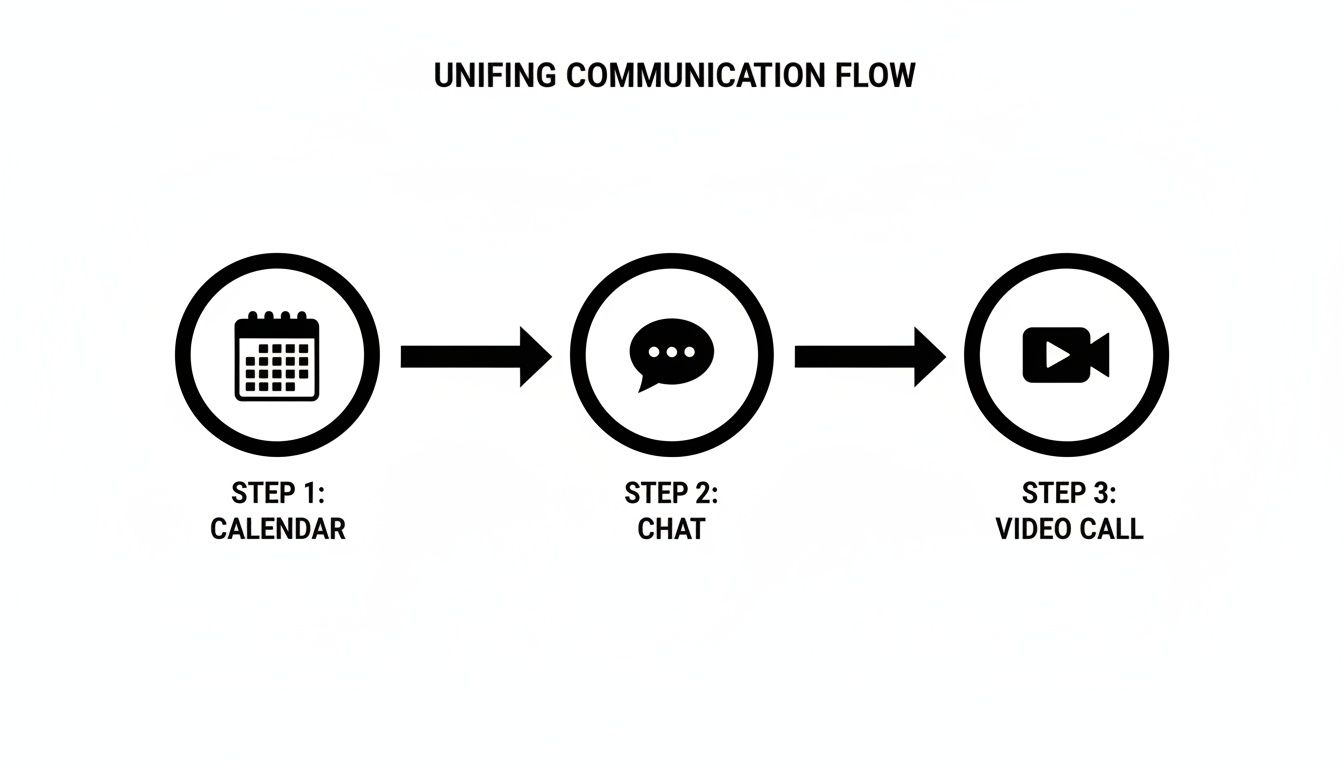
As you can see, the goal is to stop the constant app-switching and unify how your team communicates.
Handling Permissions and Admin Approval
When you click "Add to Slack," a screen will pop up asking for a handful of permissions. Don't just click through—it’s good to know what you’re granting access to. Typically, the app needs to:
- View basic information about your workspace and its users.
- Post messages in channels and conversations to share meeting links and notifications.
- Add slash commands so you can quickly start a call with
/chime.
Now, if you work in a company where IT keeps a tight lock on app installations (which is a very common security measure), you’ll probably hit a roadblock here. Instead of installing the app directly, Slack will ask you to request it from your workspace admin.
Pro Tip: When you send that request, give your admin some context. A generic "I need this" message is easy to ignore. Try something more specific, like, "I'd like to install the Chime app so our project team can launch quick video huddles from the #project-x channel. It'll help us resolve blockers much faster than typing back and forth."
A clear reason makes it much easier for them to approve it.
The Admin-Level Installation Process
For you Slack admins and workspace owners out there, your view will be a bit different. You can install the Amazon Chime Meetings app for Slack across the entire organization in one go. This is the best way to do it for any team larger than a handful of people.
Installing it for everyone ensures a consistent experience—no more "well, half the team has it" issues. You authorize the app on behalf of the entire workspace, which is far more efficient and keeps all the security and permission settings centralized under your control.
One of the less obvious but powerful benefits here is how it boosts team recognition. Think about it. A manager sees a great update in a channel and can immediately launch a video call with /chime to give a shout-out to the team. That kind of spontaneous, face-to-face praise feels way more genuine than a thumbs-up emoji. For remote teams, these are the little moments that build a strong, connected culture, and they’re often lost without a simple tool to make them happen. Recognizing effort in real-time reinforces positive behaviors and shows every team member that their contributions matter.
Mastering Meetings Directly Within Slack
Okay, so you’ve got the Amazon Chime Meetings app for Slack installed. Now comes the fun part: actually weaving it into your team's daily rhythm. The real power here isn't just about scheduling calls; it's about making collaboration happen on the fly, right inside the conversations you’re already having. This is what turns a static Slack channel into a dynamic workspace.
The main tool you'll be using is the /chime slash command. It’s incredibly straightforward. Just type /chime into any channel or direct message, hit enter, and a new Chime meeting is instantly created. The app will post a message with a big "Join Meeting" button, so everyone in that conversation can hop on the call without fumbling for a link.
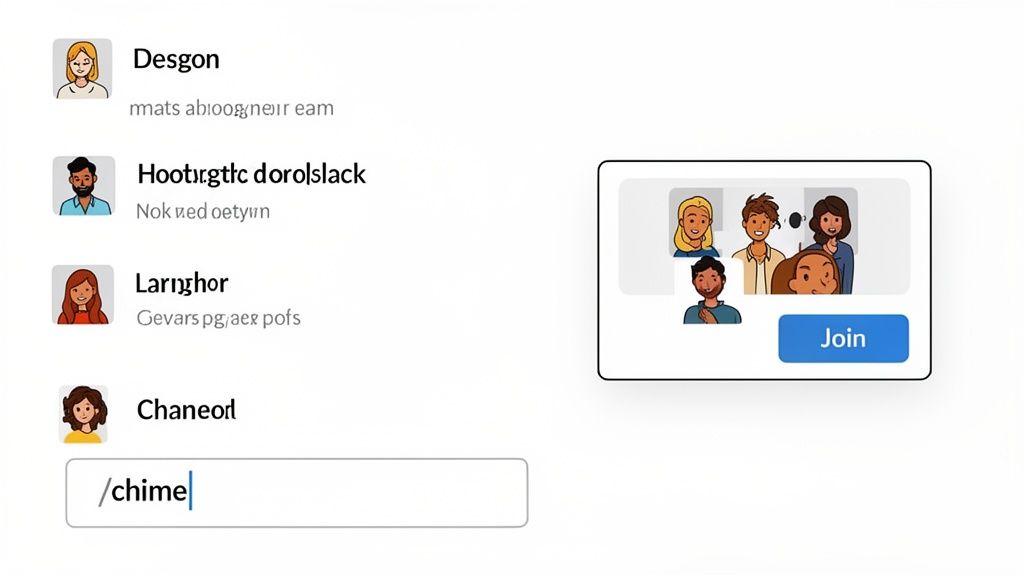
This one command can completely change how your team tackles problems. Picture this: a few engineers in the #project-firebird channel are trying to nail down a tricky bug. The back-and-forth typing is getting complicated. Instead of continuing the text-based tennis match, one of them just types /chime. Suddenly, they're all face-to-face, sharing screens, and solving the issue in minutes instead of an hour.
A Powerful Tool for Spontaneous Recognition
This isn't just a lifesaver for technical issues; it's a fantastic way to build team culture. We all know that employee recognition works best when it's immediate and specific. If you wait until the weekly all-hands or a quarterly review to give a shout-out, the moment has passed and the impact is lost.
Practical Example: A manager sees a great project update posted in a channel. Instead of just dropping an emoji, they use
/chimeto start a quick 30-second video call. "Hey everyone, just saw Maria's update—that's incredible work, fantastic job!" This creates a genuine, face-to-face moment of praise that a text message simply can’t match.
In a remote or hybrid setting, these small acts of connection are huge. They make people feel seen and valued right when it matters most, turning recognition from a formal agenda item into a spontaneous celebration of great work. This consistent, positive reinforcement is the bedrock of a high-performing and motivated team.
Your Go-To Commands for Daily Workflow
While /chime is the command you'll use most often, it's good to know all the tools at your disposal for managing meetings without ever leaving Slack. Keeping things in one place helps everyone stay focused.
For a quick reference, here’s a breakdown of the slash commands you and your team will find most useful.
Amazon Chime Slack Commands at a Glance
This table is a handy cheat sheet for the essential slash commands that let you start and manage meetings directly from your Slack workspace.
| Command | Function | Example Use Case |
|---|---|---|
/chime |
Instantly starts a new Chime meeting in the current conversation. | When a text thread gets too complex and you think, "Let's just talk this out." |
/chime help |
Displays a list of all available slash commands and their functions. | When you're new to the app or just need a quick refresher on what's possible. |
Getting comfortable with these commands is key to making the integration feel seamless. The entire concept of launching video calls from a chat app has become an industry standard because it just works. If your team uses multiple tools, you might also want to learn how to start a Zoom meeting in Slack, as the core idea is very similar.
Ultimately, by mastering these simple commands, your team can cut down on the friction that often comes with remote collaboration. The Amazon Chime Meetings app for Slack is designed to close the gap between realizing you need to talk and actually talking.
Digging Into Advanced Features for Enterprise Teams
For larger organizations, the Amazon Chime Meetings app for Slack was never just a simple call button. It was engineered from the ground up with enterprise-grade needs in mind, offering a suite of features built for distributed and security-conscious companies. This went far beyond just starting a call; it was about creating a secure and accessible environment where serious business could get done.
Key capabilities included screen sharing, straightforward guest access via meeting links, and even support for traditional in-room video systems. Think about a global company trying to connect its international offices for a sensitive all-hands meeting. With this integration, folks in a conference room could join the same call as remote employees on their laptops, creating a truly unified experience.
This kind of protected environment is the foundation for building trust and encouraging open communication, which has a massive impact on team culture.
A Laser Focus on Enterprise-Grade Security
For anyone in HR or IT, security is non-negotiable, and this is where the integration really shined. The partnership between AWS and Slack brought powerful meeting features to the table that directly addressed these concerns. This wasn't just basic security; it included end-to-end encryption powered by an AWS Key Management Service (KMS) integration with Slack Enterprise Key Management (EKM). You can still find details about these features on the official AWS page for the Amazon Chime Meetings App for Slack.
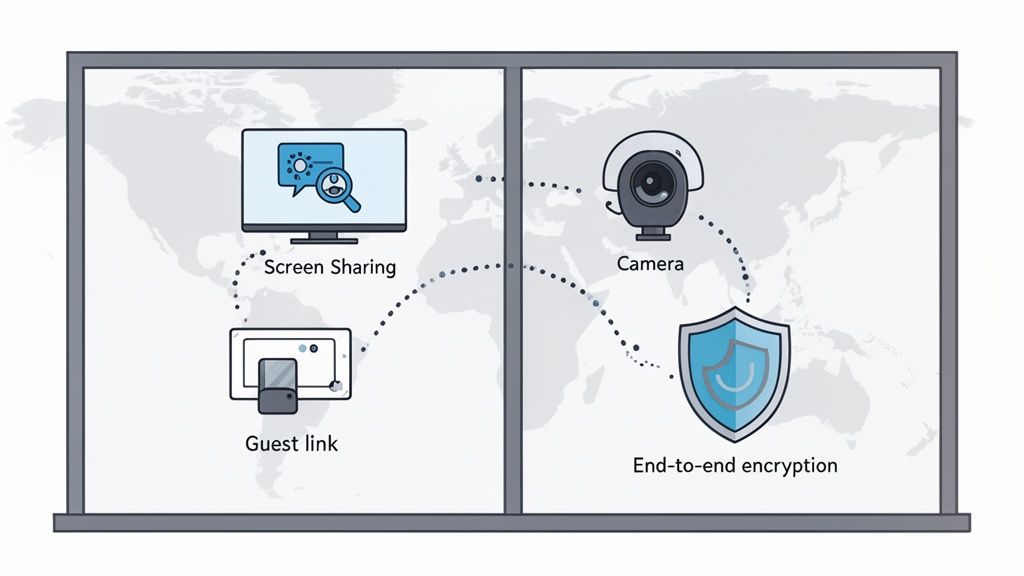
This level of security meant that sensitive discussions—from financial reviews to strategic planning sessions—could happen within a controlled, trusted environment. When employees know their conversations are private, they're much more willing to share innovative ideas, give candid feedback, and even engage in peer-to-peer recognition without a second thought.
Building a culture of open recognition requires psychological safety. Knowing that conversations are secure allows team members to give authentic, on-the-spot praise without worrying about who might be listening in. This turns recognition from a performative act into a genuine expression of appreciation. For example, a peer could start a quick, private call to thank a colleague for helping them with a difficult task, strengthening team bonds in a secure way.
Boosting Productivity with Modern Tools
Beyond just locking things down, the integration supported workflows that modern teams have come to rely on. For enterprise teams, bringing in tools like AI-powered transcription software can completely change how meeting notes and critical conversations are captured and reviewed. While not a native feature of the Chime app itself, connecting these kinds of tools to your meeting workflow ensures that important decisions and action items never fall through the cracks.
This is where team recognition really comes full circle. When a meeting celebrating a major milestone is transcribed, all that specific praise and positive feedback gets documented. This creates a lasting record of achievement that can be shared with leadership or used in performance reviews, making recognition a measurable and impactful part of the company’s culture.
What's Next for Amazon Chime?
If your team has come to rely on the Amazon Chime Meetings app for Slack, there are some big changes coming down the pike that you need to know about. This isn't just a simple software update; it's a fundamental shift in the service, and getting ahead of it is crucial to keep your team's collaboration humming.
The bottom line is this: the Amazon Chime service, as we know it for daily video calls, is being discontinued. This will directly affect how your team starts, joins, and manages meetings from inside Slack. For any organization that has woven this tool into its daily fabric, this is a critical heads-up.
The End-of-Life Timeline You Need to Know
Let's get straight to the dates. AWS officially announced that support for the Amazon Chime consumer application will end on February 20, 2026. This is the hard stop. After this date, the /chime command in Slack will no longer work, and the integration will be completely phased out. You can read up on the specifics in the official Chime features and transition guide.
It's important to understand a key distinction here. While the ready-to-use Chime app and its Slack integration are going away, the underlying Amazon Chime SDK (Software Development Kit) is sticking around. This means developers who built custom communication platforms on top of Chime's technology can continue their work. For the rest of us, however, the app we use every day is being retired.
Planning Your Team’s Next Move
With a firm deadline on the calendar, it’s time to map out a transition plan. This is actually a great opportunity to take a fresh look at your team's communication needs and find a new tool that doesn't just fill the gap but might actually improve your workflow. The key is to start now—don’t wait until January 2026 to figure this out.
As you start looking at alternatives that play nicely with Slack, here are a few things I always recommend keeping in mind:
- How many people can join? Can it handle your quick two-person check-ins as well as your 50-person all-hands meetings?
- Is it secure? Make sure it meets your company’s security and compliance standards, especially if you discuss sensitive information. Look for things like end-to-end encryption and solid admin controls.
- Is it easy to use? A good Slack integration should feel seamless. Can someone start a call with a simple slash command without a 10-step manual?
- Does it have the basics covered? Screen sharing, recording capabilities, and a simple way for guests to join are non-negotiable for most teams.
A successful transition is one that feels like a minor update, not a major disruption. The goal is to find a solution that fits so well into your existing Slack workflow that the team barely skips a beat.
This is also a good moment to think about company culture. As you vet new tools, consider how they support spontaneous connection and recognition. A great replacement will make it just as easy for a manager to hop on a quick video call to celebrate a team win, ensuring that those important cultural habits don't get lost in the shuffle. A tool that facilitates these moments is an investment in team morale and retention.
Got Questions? We've Got Answers
Switching away from a tool your team uses every day is bound to bring up some questions. Let's clear the air and tackle the most common ones about the Amazon Chime Meetings app for Slack and what's next for your team's workflow.
Can I Still Install the Amazon Chime Meetings App for Slack?
Technically, you might still see the app listed in the Slack App Directory, but you absolutely shouldn't install it on any new workspaces. The writing is on the wall: the core Amazon Chime service is officially shutting down on February 20, 2026.
Think of it this way: getting your team set up on a tool with a firm expiration date is like planning a big project on a platform you know will be deleted. It’s a recipe for future headaches. Your energy is much better spent finding and migrating to a stable, long-term solution now.
What Happens to My Scheduled Chime Meetings in Slack After the Shutdown?
Once February 20, 2026, rolls around, the app will stop working. Completely. Any Chime meeting links you have in Slack channels or calendar invites will become dead ends. The ability to start or join meetings from Slack will vanish.
This is a big deal for recurring meetings. Imagine your weekly team sync or all your scheduled 1-on-1s just breaking overnight. To get ahead of this, a smart move would be to audit all your team's scheduled meetings well in advance—say, in late 2025—and get them moved over to your new video conferencing tool. A little planning now will prevent a lot of chaos later.
So, What Are the Best Alternatives to Chime for Slack?
The good news is there are plenty of fantastic options that integrate beautifully with Slack. Big names like Zoom, Google Meet, and Microsoft Teams are popular for a reason, but the "best" choice really depends on what your team actually needs.
Here’s what to think about when you're looking for a replacement:
- How big are your meetings? Make sure the platform can handle your largest gatherings, like a company-wide all-hands.
- What features are non-negotiable? Do your project managers live for breakout rooms? Does HR need robust recording and transcription for training?
- Is it secure? Your IT and security teams will thank you for choosing an alternative that meets your company’s compliance standards from day one.
The real test of a good alternative is whether it keeps communication fluid and spontaneous. You want a tool where a manager can still instantly hop on a video call to praise a team member for a great win. Don't lose those valuable cultural moments. Making recognition easy and visible is a key function of modern collaboration tools.
Did I Need an AWS Account to Use the Chime App in Slack?
You did. To be the one who started a meeting, you needed an active AWS account with Amazon Chime Pro permissions.
Interestingly, people just joining the meeting didn't need one—they could just click the link in Slack and hop on. This is a key detail to remember when comparing new tools. Many alternatives have much simpler account models that don't require everyone to be looped into a separate, complex ecosystem like AWS, which can make life a lot easier for your team.
Ready to build a culture of appreciation that sticks? AsanteBot makes team recognition fun, measurable, and seamless right within Slack. Start celebrating your team's wins in minutes.
Get started for free on asantebot.com