It's surprisingly simple to get started. At its most basic, embedding Slack in Notion is just a matter of copying a message link from a public channel and pasting it into an Embed block. This gives you a neat, static snapshot of the conversation—perfect for referencing a key decision right inside a project brief.
Table of Contents
But that's just scratching the surface. We'll get into that and some more powerful methods below.
Why Bother Connecting Slack and Notion?
Let's be real: how many times have you scrolled endlessly through a Slack channel, trying to find that one conversation where a decision was made? When your team's discussions live in Slack and your project plans live in Notion, you're constantly switching contexts and losing valuable time.
Connecting the two creates a single source of truth. It brings your documentation and your communication into one place, which is a massive win for powering productivity in a remote work world.
This flowchart breaks down which method makes the most sense depending on what you're trying to accomplish.
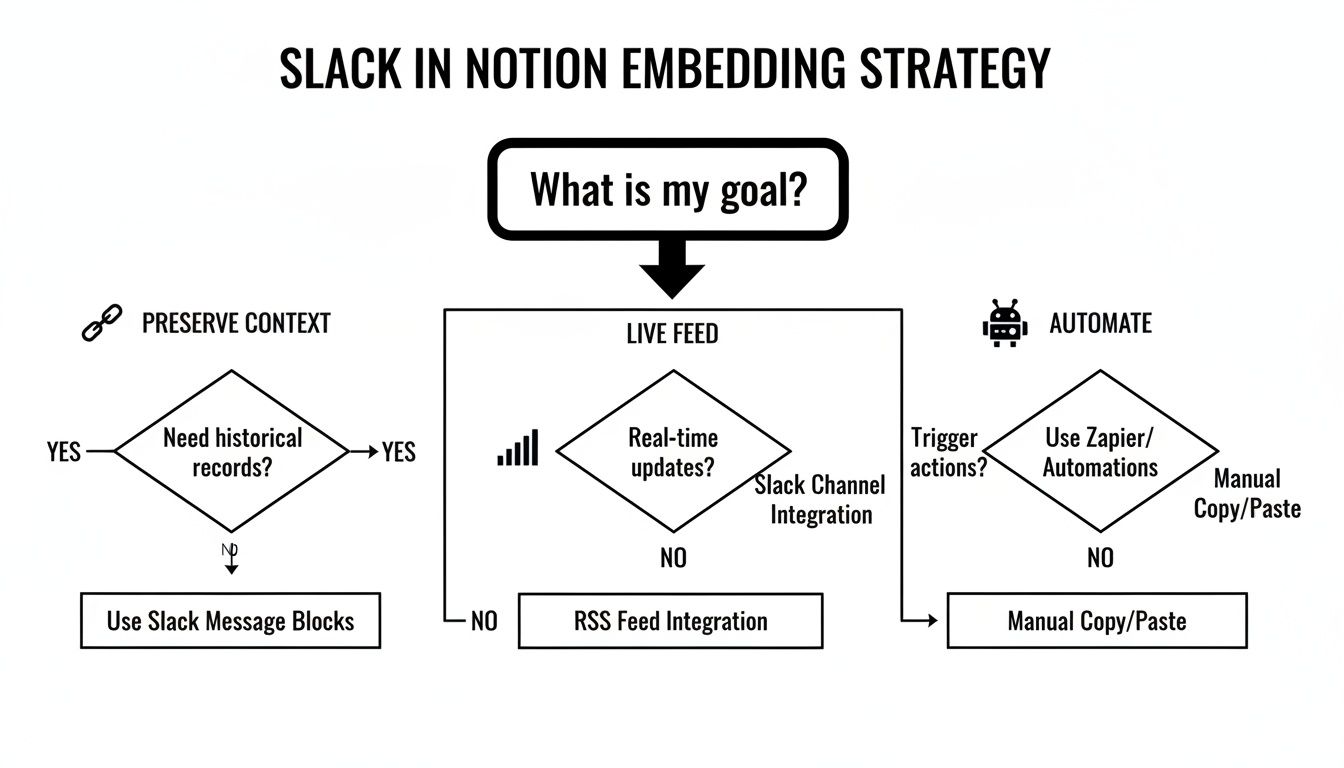
The trick is to think about your goal first. Do you need to save a permanent record? Create a live, updating feed? Or automate tasks between the two platforms?
This isn't just a "nice-to-have." In a world of remote and hybrid work, teams are drowning in information. A recent study found that 47% of digital workers say they struggle just to find the information they need to do their jobs. A solid integration strategy helps fix that.
The Power of Public Praise
One of my favorite use cases is making team recognition truly visible. The importance of team recognition cannot be overstated; it's a key driver of engagement and retention. When employees feel appreciated, they are more motivated and connected to their work. Imagine embedding a live feed of your company's #kudos or #shoutouts channel directly onto your main team dashboard in Notion. It’s a game-changer for morale.
When praise is public and persistent, it reinforces a positive culture. It moves fleeting acknowledgments from a fast-moving chat into a celebrated space, making every team member feel seen and valued.
Suddenly, that quick "great job!" isn't lost to the scroll. It becomes a permanent part of the team's story, boosting engagement and making appreciation a tangible asset.
Embedding Slack Messages with Native Notion Blocks
The most straightforward way to get Slack content into Notion is by using the tools already built-in. This method is incredibly fast and perfect for when you need to grab a specific, static moment from a conversation and pin it directly into your project docs for context.
Think of it like taking a high-fidelity screenshot that stays linked to the original source. You spot a message that matters, copy its unique link, and drop it into a Notion Embed block. It's the best way to preserve key decisions, important client feedback, or policy updates without the distraction of a constantly changing live feed.
Capturing the Conversation
Grabbing the link is simple. In any public Slack channel, just hover over the message you want, click the three-dot menu, and hit "Copy link."
Then, hop over to your Notion page, type /embed, and paste that link into the block that pops up. Notion will ask you to "Create a link preview"—go ahead and click that.
What you get is a clean, perfectly formatted snapshot of the original Slack message. It pulls in the user's name, their profile picture, and the full message content, all neatly displayed right on your page.
The real power here is creating a permanent record. Imagine embedding a manager's final "go-ahead" from a chaotic Slack thread directly into the project plan. It completely removes any doubt about when a decision was officially made.
This is just one of many ways you can pull external information into your workspace. To see what else is possible, it's worth exploring the full potential of Notion embeds to truly centralize your team's knowledge.
Creating Live Slack Channel Feeds in Notion
While embedding a single message is great for saving a specific point in time, what if you need a living, breathing view of a channel? This is where you need to look beyond Notion's built-in features and turn to third-party widgets from services like Indify or Plus.
These tools are specifically designed to create a live, constantly updating feed from a public Slack channel that you can pop right into any Notion page.
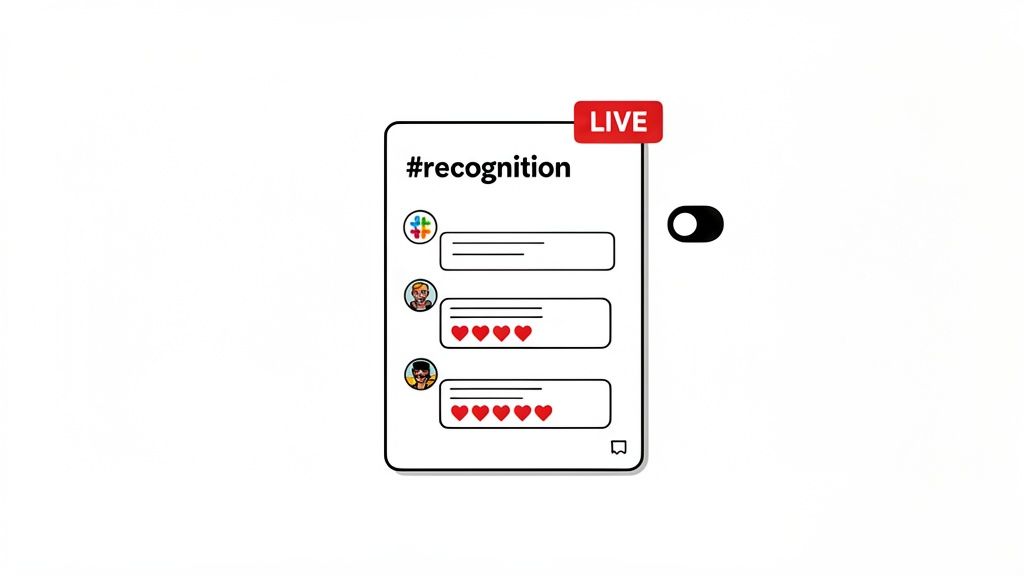
Setting it up is pretty straightforward. You'll authorize your Slack workspace with the widget service, choose the public channel you want to mirror, and then tweak how it looks. Most give you options to toggle dark mode, adjust how compact the messages are, and decide what info to display, so it fits perfectly with your Notion page's aesthetic.
Making Company Culture Visible
The real magic of a live feed is its ability to make your company culture something you can see and feel. Imagine embedding your company's #recognition or #kudos channel directly onto your main team dashboard in Notion. It’s a small change that can have a massive impact.
Team recognition is most effective when it’s visible and celebrated openly. An embedded feed ensures that every piece of praise and every shout-out is seen by everyone, reinforcing a positive and appreciative environment without any extra effort.
Suddenly, those fleeting moments of praise aren't lost in the Slack scroll. They become a persistent, inspiring stream of positivity that everyone sees as part of their daily workflow. No one has to remember to go looking for good news; it's right there. A practical example: a new team member opens the company's Notion homepage and immediately sees a live feed of colleagues congratulating each other on project launches and successful client calls. This instantly communicates a culture of appreciation and teamwork.
If you want to take this a step further, you can look into a more powerful Slack and Zapier integration to automate even more of your recognition workflows and other processes.
Taking It Further: Automating Your Slack and Notion Workflows
If you really want to connect Slack and Notion in a meaningful way, it's time to look beyond simple embeds and dive into automation. Tools like Zapier or Make (formerly Integromat) are absolute game-changers here. They let you build powerful, hands-off workflows that shuttle information between both platforms automatically. This is where the real magic happens.
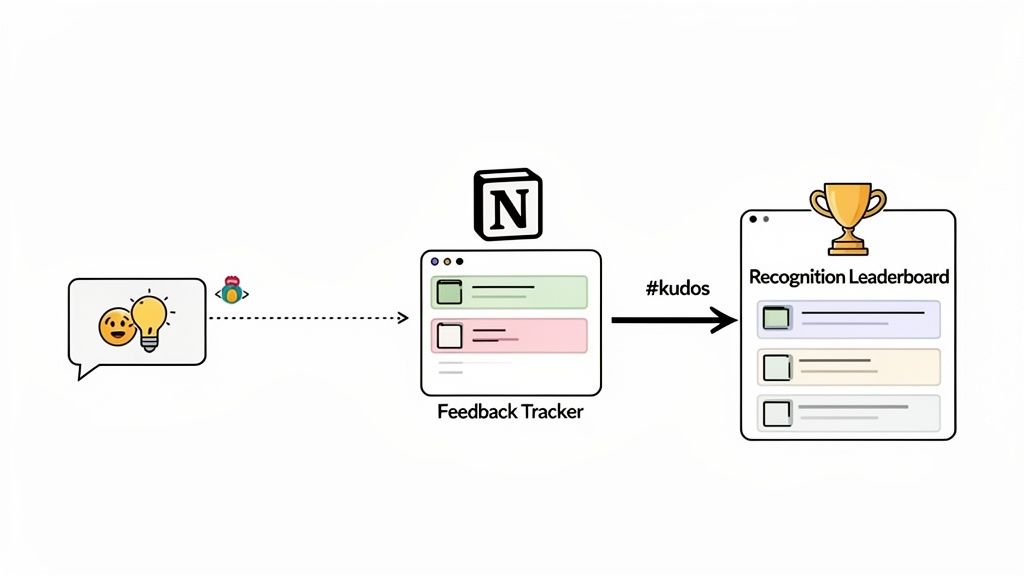
The idea is straightforward: you set up a trigger in one app and an action in the other. For example, a specific emoji reaction in a Slack channel could be the trigger that creates a new database entry in Notion. It’s this kind of connectivity that has fueled Slack's incredible growth; with over 2,600+ integrations, it's projected to hit 79 million monthly active users by 2025. You can find some great comparisons of these tools over at SIIT.io.
Turn Feedback Into Actionable Data
We've all seen it happen. Great ideas get posted in a Slack channel like #product-ideas only to get buried and forgotten a few hours later. Automation completely solves this.
You could create a simple workflow where any message in that channel that gets a 💡 emoji reaction is automatically sent to a "Feedback Tracker" database in Notion. Just like that, you’re capturing valuable user insights without anyone having to lift a finger to copy and paste. It creates an instant, organized backlog for your product team. If you need a hand getting started, this Notion Slack integration guide is a fantastic resource.
Build a Dynamic Recognition Leaderboard
Public praise is a huge morale booster, but its impact is often short-lived. A practical example is to create a workflow that pipes messages from your #kudos channel directly into a "Recognition Leaderboard" in Notion. For instance, set up a Zap where any message posted in #kudos creates a new item in a Notion database, capturing the message content, the sender, and the recipient.
The importance of team recognition can't be overstated. Automating this process transforms intangible praise into measurable data, helping leaders identify top contributors and making sure every act of appreciation contributes to a stronger team culture.
This system gives you a permanent, visible record of all the great work happening. Over time, you can use Notion's database views to see who is giving and receiving the most recognition, which is incredibly useful data for performance reviews and for nurturing a culture of appreciation.
Keeping Your Information Secure
Connecting Slack and Notion is fantastic for bringing conversations and documentation together, but it's something you need to handle with care. If there's one piece of advice to take away, it's this: almost always embed public channels, not private ones. This simple rule keeps sensitive chats locked down while making transparent information available right where your team works.
The good news is that official integrations are built with security in mind and don't actually store your message content. Still, you're the one in control of what gets displayed. A perfect use case for this is creating a public #recognition channel in Slack specifically for embedding in Notion. It’s a brilliant way to build company culture by making team wins visible without accidentally sharing confidential project details.
Being thoughtful about which channels you connect is key. The aim is to make important information easy to find, not to put every single conversation on display.
Here are a couple of straightforward best practices to follow:
- Do a Quick Audit: Once in a while, it's a good idea to check which apps have access to your Slack workspace.
- Give Your Team a Heads-Up: Make sure everyone on your team is clear on which Slack channels are being embedded and visible within Notion.
Troubleshooting: Common Questions Answered
Even with the best instructions, you can sometimes run into little roadblocks. I've seen these questions come up time and again, so let's walk through the common ones.
Why Won't My Slack Link Show a Preview in Notion?
This is a classic issue, and it almost always comes down to one of two things.
First, make sure you’re using Notion's specific /Embed block. Just pasting the link into a normal text block won't do the trick. More often than not, though, the problem is about permissions. Notion can only create a preview for messages that come from a public Slack channel. If you grab a link from a private channel or a direct message, it’ll just show up as a plain URL—that’s a security feature, not a bug.
Can I Embed a Whole Live Channel?
Yes, you can! But you can't do it with Notion's built-in tools alone.
To get a live, scrollable feed of an entire channel, you'll need to turn to a third-party widget. Services like Indify or Plus specialize in creating these embeddable links that display a channel's real-time messages right on your Notion page. This is fantastic for something like a team recognition feed.
I can't overstate how important team recognition is for morale. It fosters a sense of belonging and validates employees' contributions. Setting up a live feed for your
#kudoschannel makes that praise visible and lasting. It transforms quick, fleeting comments into a celebrated part of your team's culture.
Is It Safe to Connect Slack and Notion?
It's completely secure, as long as you're mindful of a few best practices. Both platforms are built with security in mind.
The real key is managing your permissions. Only connect public channels that you actually intend to share, and stick with reputable, well-known third-party tools. It’s simple, really: keep sensitive conversations in private Slack channels. Since they can't be embedded, your confidential information stays that way.
Ready to make team recognition a core part of your culture? AsanteBot integrates seamlessly with Slack to make celebrating wins easy and impactful. Start building a more engaged and motivated team in just two minutes at https://asantebot.com.