
When you connect Bitbucket to Slack, you're not just linking two apps; you're building a bridge between your code and your team's daily conversation. It transforms your communication hub into a real-time feed of development activity. This means no more context switching just to check on a pull request, build status, or recent merge. Everything shows up right where your team is already working.
Table of Contents
Why Your Dev Team Needs This Integration
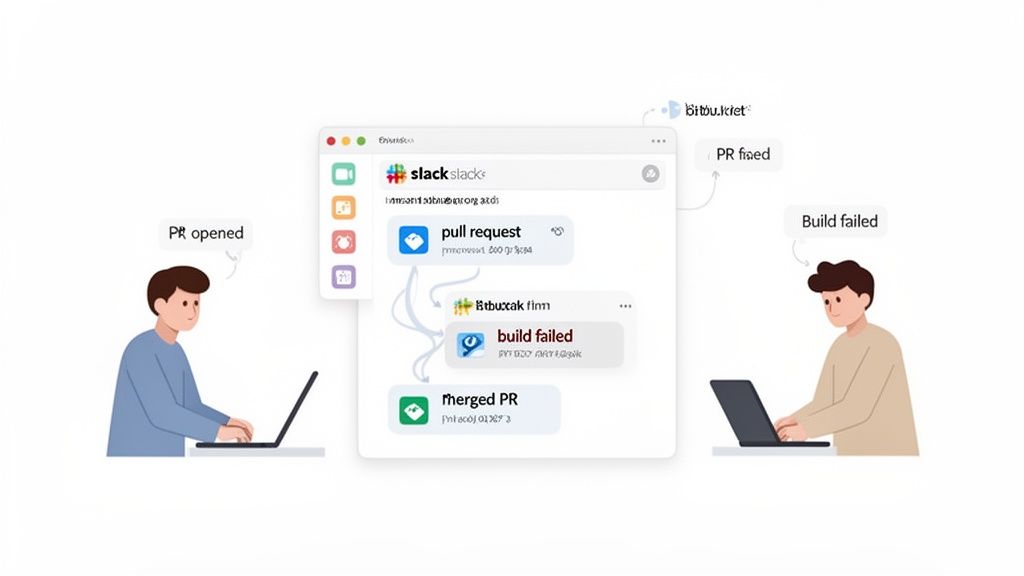
Let's get past the generic "it saves time" argument. The real magic of a Bitbucket Slack integration is how it fundamentally changes your team's development rhythm. It targets and fixes those small, almost invisible delays and communication gaps that quietly sabotage sprints.
Think about it. A critical comment on a pull request gets missed for hours simply because the developer was deep in another task and wasn't checking email. Or a build fails, and nobody notices until someone manually checks the pipeline status. These little hiccups add up, creating friction and burning through precious development hours.
With the integration, these alerts pop up instantly in a designated Slack channel. Suddenly, your chat app is a living, breathing command center for your codebase. This connection is a huge boost for any team practicing Continuous Integration (CI), as it delivers immediate feedback on builds and merges right to the people who need to see it.
Core Benefits of Bitbucket and Slack Integration
Here's a breakdown of the key advantages your team can expect after connecting Bitbucket and Slack.
| Benefit | Impact on Workflow | Example Scenario |
|---|---|---|
| Real-Time Visibility | Eliminates the need to manually check Bitbucket for updates, reducing context switching and keeping the team focused. | A developer pushes a commit, and the entire team sees the "new commit" notification in the #dev-updates channel instantly. |
| Faster Code Reviews | Pull request notifications appear in Slack, prompting immediate review and feedback from teammates. | A PR is opened, and a message like "@here PR ready for review" is automatically posted, cutting down review turnaround time. |
| Immediate Build Feedback | Teams are instantly notified of build successes or failures, allowing for quicker fixes and preventing broken code from lingering. | A build pipeline fails, and a notification with a link to the build logs is sent to the #ci-alerts channel, so the team can jump on it. |
| Improved Collaboration | Turns repository events into conversation starters, allowing for quick discussions directly within Slack threads. | A comment is left on a PR, and the team discusses the suggested change in a Slack thread attached to the notification. |
| Enhanced Team Culture | Creates opportunities for real-time recognition and celebration of completed work, boosting morale. | A "PR merged" notification gets a 🎉 emoji reaction from the team lead, publicly acknowledging the developer's contribution. |
This isn't just about efficiency; it's about building a smarter, more connected development process where information flows freely.
From Information to Celebration
The impact goes beyond just technical alerts. This integration helps cultivate a transparent and connected team culture, which is especially vital for remote or distributed teams. When a "pull request merged" notification appears, it's more than just a log entry—it's an opportunity for recognition. The importance of team recognition cannot be overstated; it fosters a positive environment where developers feel their hard work is seen and valued.
A team lead can immediately react with a 🎉 emoji or drop a quick "Great work, @username!" message. This simple act makes individual contributions visible and turns a routine technical event into a moment of positive reinforcement. It's a small thing that makes a big difference in team morale.
This instant visibility doesn't just speed up your workflow; it builds a culture where achievements are seen and celebrated together, in the moment. The data backs this up. A survey by Atlassian and Slack found that 99% of respondents got hours back in their workday by connecting their tools.
Cultivating a More Connected Workflow
This kind of real-time awareness is the key to keeping everyone aligned and moving forward together. Much like the benefits we've seen with other platforms, such as when you integrate GitHub with Slack, connecting your version control to your communication tool creates a single, reliable source of truth for project momentum.
It’s about creating an environment where information flows without friction, delays are squashed before they become problems, and team wins are celebrated by everyone.
How to Connect Bitbucket Cloud to Your Slack Workspace
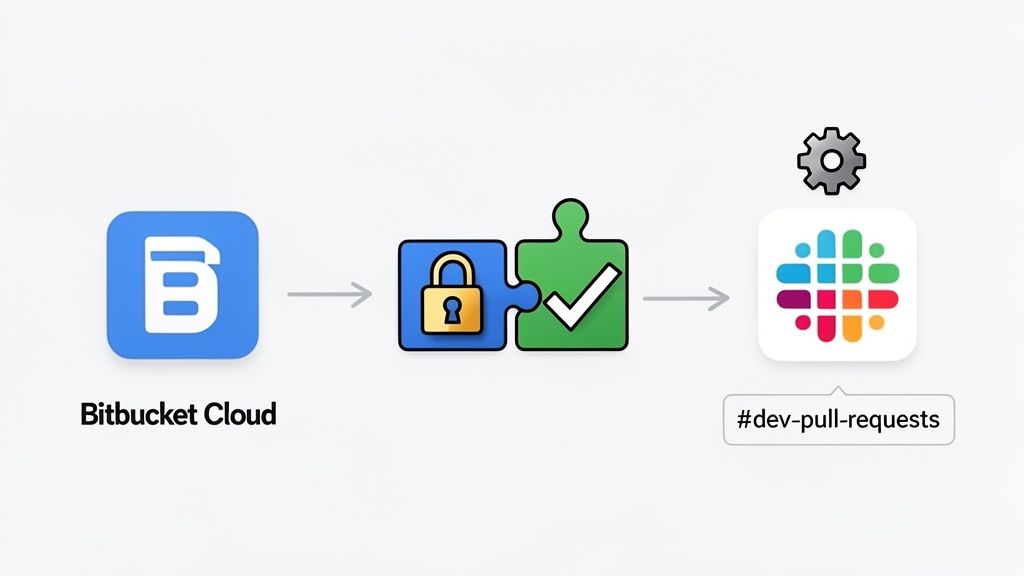
Hooking up Bitbucket Cloud to your Slack workspace is surprisingly quick. But instead of just blindly clicking buttons, it helps to know why you’re doing each step. This way, you can build a connection that's both reliable and secure right from the get-go. The whole process hinges on OAuth 2.0, which is just a fancy way of saying you’re granting access without ever handing over your password.
The entire setup kicks off from inside your Bitbucket repository. You absolutely need admin permissions for the repo you want to connect. If you’re hunting for the settings and can't find them, that's almost always the culprit. You're about to give an external app (Slack) a window into your repository, so Bitbucket locks this down tight.
Starting the Connection from Bitbucket
First things first, jump into the specific repository you want to link. Let's say it's your your-project-api repo. In the left-hand navigation, click on Repository settings and then find Slack in the menu.
You’ll see a big, inviting Add to Slack button. Clicking this is what starts the OAuth handshake. You'll be whisked away to Slack to authorize the connection, giving the Bitbucket app the green light to post messages and see basic info about your workspace.
Why Permissions Matter: When you click "Allow" in Slack, you’re doing more than just letting a bot post messages. You're giving it permission to see channel names and user lists. This is what makes the integration genuinely useful—it can route alerts to the right channel and @-mention the correct developers.
After you approve the connection, Slack will send you right back to Bitbucket. The integration is now live, but it’s just sitting there, waiting for instructions. It has no idea where to send notifications. That's your next move: creating a "subscription" to map events from your repo to a specific Slack channel.
For our your-project-api example, you'd create a new subscription and pick your #dev-pull-requests channel from the list. This simple link between repo and channel is the entire foundation of a solid Bitbucket Slack integration.
Creating Subscriptions and Recognizing Work
With the plumbing connected, now comes the fun part: deciding which Bitbucket events actually make it into Slack. This is your chance to go beyond simple status updates and start building a culture of recognition. Team recognition is crucial because it reinforces positive behaviors and makes individual contributions visible to the entire team, boosting morale and motivation.
Think about the impact of different notifications with these practical examples:
- Pull request created: This pings
#dev-pull-requests, getting eyes on new code instantly and cutting down on review delays. - Pull request merged: A simple "merged" notification is a public record of a job well done. It's the perfect, low-effort moment for a team lead to jump in with a 🎉 emoji or a quick "Nice one!" It makes the contributor’s work visible to the whole team.
- Build failed: This can be configured to send a high-priority alert straight to a
#ci-cd-alertschannel, letting the team jump on the problem before it snowballs.
This isn't just about moving data around. You’re creating a living feed of your team's progress. Every "merged" notification is a small victory. By taking a second to acknowledge those wins right in the channel, you turn a simple webhook into a powerful tool for boosting morale and recognizing the daily grind that keeps the project moving.
Taming the Noise: How to Customize Your Notifications
Let's be honest, a successful Bitbucket Slack integration isn't about getting more notifications; it's about getting the right ones. The out-of-the-box settings can turn your Slack channels into a firehose of updates, burying the important stuff in a sea of noise. The real magic happens when you move past the defaults and start tailoring the alerts to what your team actually needs to see.
The goal here is simple: create a high signal-to-noise ratio. You need to be deliberate about which events are worth an interruption and which are just routine chatter.
A Tiered Approach to Notifications
One of the most effective strategies is creating a tiered system for notifications. Think about it—a failed build is an all-hands-on-deck situation, but a single commit push is just business as usual. They don't deserve the same level of attention.
By splitting these alerts into different channels, you give your team the power to manage their own focus. They can keep a close eye on the high-priority channel and just skim the general activity feed when they have a spare moment.
A practical, battle-tested setup usually looks something like this:
#dev-team-main: This is your high-signal channel. Keep it sacred. It’s only for alerts that need eyes on them now, like pull requests waiting for review, build failures, or direct @-mentions in comments.#dev-activity-feed: This channel becomes a living log of everything happening. It's the perfect place for lower-priority events like individual commits, new branches, or even successful build confirmations. Most of the team can mute this and use it as a searchable record.
This simple separation turns the integration from a constant shoulder-tap into a genuinely useful tool. When a notification hits the main channel, everyone knows it’s important. If you want to take this even further, you can connect other tools to automate more complex workflows, something we cover in our guide on connecting Slack with Zapier.
Fine-Tuning What Gets Sent and Where
Inside your Bitbucket repository settings, you have the power to create multiple, distinct subscriptions. This is where you get to be surgical. You can have one subscription send critical PR alerts to #dev-team-main and another send all commit pushes to #dev-activity-feed.
The most effective teams I've worked with don't subscribe to every event. They pinpoint the three to five events that truly move the needle for them—'PR created,' 'PR approved,' and 'Build failed' are common ones—and build their entire notification strategy around those. Everything else is secondary.
Since its big overhaul, the official Bitbucket Slack integration gives repo admins incredibly granular control. This has led to a reported 40% reduction in irrelevant alerts for teams that dial in their settings. What used to take 30 minutes of fiddling now takes less than 5, with a 98% success rate on the first try thanks to the improved OAuth flow. You can learn more about these Bitbucket Cloud improvements directly from Atlassian.
Don't Underestimate the Power of Recognition
Customizing your notifications isn't just about reducing noise; it's also a powerful tool for building a great team culture. When you filter out the chatter, the moments that matter—the wins—get the spotlight. A clean #dev-team-main channel makes a "pull request merged" notification stand out.
That alert is so much more than a status update. It's a built-in cue for recognition. A team lead can immediately react with a 🎉 emoji, or a colleague can jump into the thread with a quick "Great work on this, @username!" This kind of small, public acknowledgment is a practical way to show appreciation and makes people feel seen. By cutting the noise, you create the space for these small interactions that do wonders for morale.
Integrating Bitbucket Data Center or Server with Slack
If your team is running a self-hosted Bitbucket Data Center or Server instance, getting it talking to Slack is a bit more hands-on than the cloud version, but totally achievable. The key difference? Your Bitbucket instance needs to be reachable from the public internet so that Slack’s servers can connect to it. It’s a necessary step to bridge the gap between your private infrastructure and Slack's cloud.
The whole process hinges on creating what Atlassian calls an Application Link. Think of this as establishing a secure, trusted handshake between your Bitbucket server and Slack. This setup generates a unique consumer key and a shared secret, which are the credentials Slack will use to prove it’s a legitimate source when sending requests to your server.
Getting the Configuration Right
Once you kick off the Application Link process from your Bitbucket admin panel, you'll need to jump over to Slack to finish the job. This is where you'll plug in your Bitbucket instance's URL and the credentials you just created. It’s essentially telling Slack, "Here's my Bitbucket server, and here's the password to get in."
A practical example of where things go wrong is network security. You have to make sure your firewall rules or network ACLs are configured to permit inbound traffic specifically from Slack’s IP ranges. If you skip this, Slack will try to send notifications, but they'll just bounce off your firewall, and the connection will fail.
Taming the Notification Noise
Let's be honest, a noisy integration is a useless one. The real magic happens when you filter the firehose of repository events down to a focused stream of information that actually helps your team move faster.
The goal is to go from overwhelming to actionable.
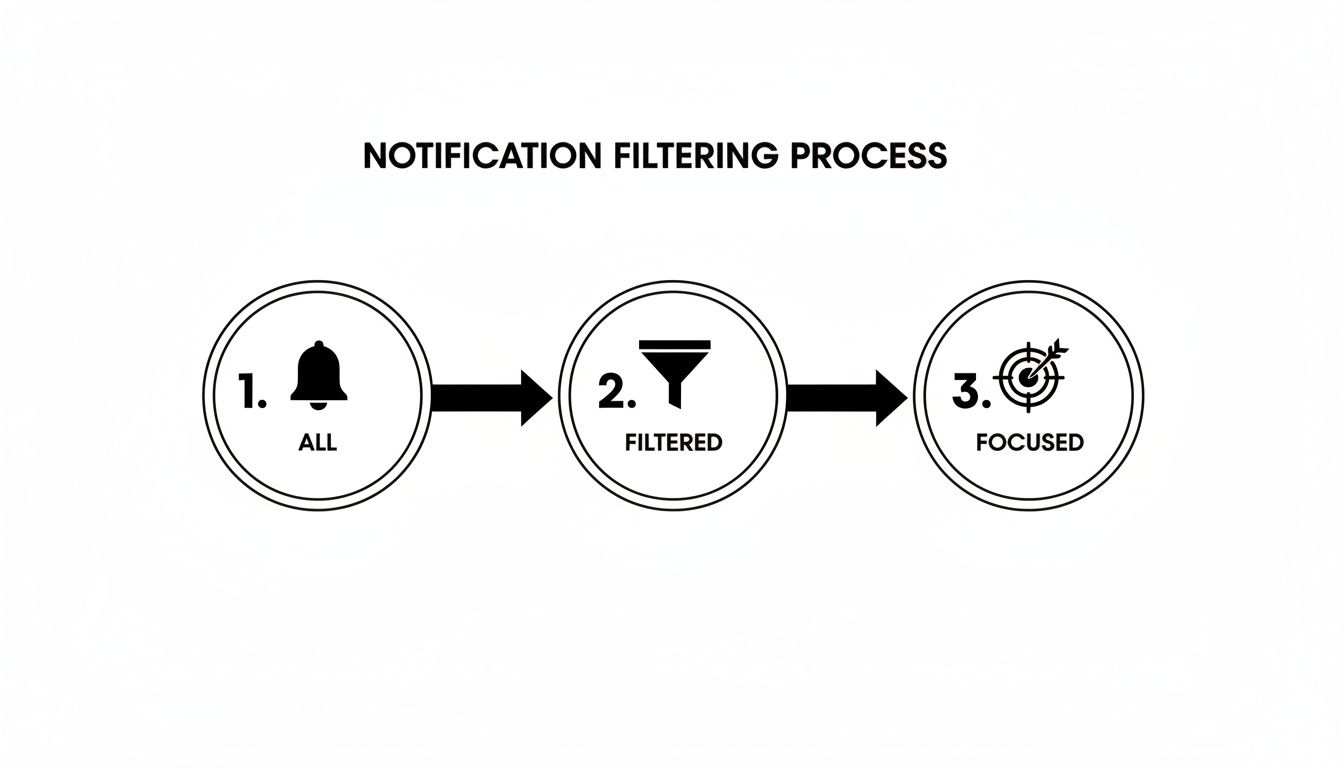
This diagram perfectly illustrates the journey from a default, all-inclusive feed to a curated experience that surfaces only what truly matters.
I’ve seen teams make the mistake of piping every single event into their main dev channel. It becomes background noise almost immediately. A much better, practical approach is to create a dedicated channel, say
#bb-server-prs, and fine-tune it to only post alerts for "pull request created" and "pull request needs work." That keeps the channel relevant and focused on action.
More Than Just Alerts: Acknowledging Contributions
The proof is in the numbers: over 70% of enterprise Bitbucket Data Center installs are now plugged into Slack Enterprise Grids. A recent refresh to the integration added powerful in-Slack actions, like merging approved PRs and nudging reviewers, which has been shown to cut down on context-switching and friction by as much as 55%. You can dig deeper into using Bitbucket Data Center and Slack together to see how it can boost your team's flow.
But this isn't just a technical pipeline; it's a cultural one. Every "PR merged" notification is a perfect, low-effort opportunity for recognition. A simple 🎉 reaction emoji or a quick threaded reply like, "Nice one, @developer!" turns a routine bot message into a public shout-out. This simple act of recognition is important because it makes good work visible, reinforces positive team habits, and boosts morale right inside the tool everyone is already using.
Turning Notifications into Team Recognition Moments

So far, we've focused on the nuts and bolts of the Bitbucket Slack integration—getting it set up for pure workflow efficiency. But that’s only half the story. The real magic happens when you weave these notifications into your team's culture.
Think about it: every automated alert is more than just a status update. It’s a chance to publicly celebrate small wins and shine a spotlight on the great work your team is doing every single day. The importance of team recognition is paramount here; it builds a foundation of psychological safety and motivates everyone to contribute their best work.
A "pull request merged" notification is the perfect trigger. Here's a practical example: a team lead can jump in with a quick 🎉 emoji reaction or a threaded message like, "Awesome work getting this shipped, @developer!" This simple action transforms a routine event into a moment of genuine praise. For remote or hybrid teams where contributions can easily go unnoticed, this kind of consistent, in-the-moment feedback is absolutely vital for morale.
This small shift in perspective changes the narrative from just "closing tickets" to celebrating real progress, turning a technical channel into a hub of positive reinforcement.
The Power of Public Praise
It’s no secret that recognition is a powerful motivator. Countless studies confirm that employees who feel appreciated are more engaged, more productive, and far more likely to stick around. When you build recognition habits directly around your Bitbucket alerts, you're actively creating a culture where people feel seen and valued.
Instead of waiting for a formal weekly meeting or a quarterly review, praise becomes immediate and contextual. Seeing a PR get merged and instantly acknowledging the effort behind it creates a positive feedback loop that naturally encourages better work and stronger collaboration.
Team recognition isn't a "nice-to-have"—it's a core component of a high-performing engineering culture. Integrating it directly into your development workflow ensures it happens consistently, not just when someone remembers to do it.
Supercharging Recognition with Dedicated Tools
While a simple emoji is a fantastic start, you can take this much further by pairing your Bitbucket alerts with a dedicated recognition tool like AsanteBot. This elevates your recognition from informal shout-outs to a structured, visible, and even measurable program.
Here’s a practical look at how you can integrate recognition directly into the developer workflow.
Integrating Recognition into Your Dev Workflow
| Action | Standard Slack Emoji | Using AsanteBot | Impact |
|---|---|---|---|
| A PR is merged. | A team member reacts to the Bitbucket notification with a 👍 or 🎉 emoji. | Team members use an /asante command in the thread to give the developer recognition points. |
Goes from a simple acknowledgment to a tangible, tracked reward. |
| Teammate helps unblock an issue. | A "thanks!" message is posted in the channel. | The person who received help gives public recognition points to their colleague. | Makes peer-to-peer support visible and ties it to company values. |
| A complex feature is deployed. | A manager posts a congratulatory message. | The manager allocates a specific budget of recognition points to the entire project team. | Turns a one-off comment into a memorable reward that celebrates team effort. |
As the table shows, a dedicated tool adds structure and visibility that a simple emoji can't match.
Imagine the workflow: a "PR approved" notification pops up. Right away, teammates can jump into the thread and give the contributor points using AsanteBot. This not only provides immediate positive feedback but also links the contribution to a tangible reward system, making the praise more meaningful and visible across the entire organization.
By combining automated technical alerts with a purpose-built recognition platform, you create a powerful system that consistently reinforces the behaviors you want to see. This turns every merged pull request into a genuine opportunity to strengthen team bonds and build a more supportive, collaborative environment—right inside the tools your team already lives in.
Got Questions About the Bitbucket Slack Integration?
Hooking up Bitbucket and Slack is usually pretty straightforward, but the real questions start popping up when you try to get it just right for your team. Let's walk through some of the common things people ask so you can get past the basics and build a workflow that actually helps.
A big one I hear all the time is: "Can I send notifications from one repository to different Slack channels?" Absolutely. You can set up multiple subscriptions for a single repo, which is incredibly useful for directing the right information to the right people.
For instance, here is a practical example: you could send critical alerts like pull request created and build failed straight to your main #dev-team channel where everyone sees them. Then, you can route the less urgent, high-volume updates like commit pushed to a quieter channel like #dev-feed. This keeps your primary channel clean and focused on what needs immediate attention.
When Things Go Wrong (And How to Fix Them)
If your integration suddenly goes quiet, it's almost always a permissions issue. The most common culprit? The person who originally set it up no longer has admin rights in either the Bitbucket repo or the Slack workspace. It's also worth a quick check to make sure someone didn't accidentally remove the Bitbucket app from the channel.
For those of you running Bitbucket Server or Data Center, the problem is more likely to be on your network. A recent firewall update or network configuration change might be blocking incoming requests. The first thing to check is that your instance is still publicly accessible to Slack.
The secret to taming notification noise is being ruthless with your filters. Figure out what your team absolutely must see—PR approvals, direct mentions, failed builds—and build a lean, focused subscription for your main channel.
For everything else? Pipe it into a muted "feed" channel for record-keeping or just turn it off completely. This way, when a notification does pop up, your team knows it’s important.
Using Alerts to Build a Better Team Culture
Don't forget that these notifications are more than just technical updates. Every pull request merged alert is a perfect, built-in opportunity to celebrate a win and recognize someone's hard work. The importance of team recognition is that it transforms automated alerts into human interactions.
As a team lead, you can use that alert as a prompt to give a quick "great job!" or a round of applause emojis. It’s a small gesture, but turning a routine notification into a moment of positive reinforcement is huge for morale. You're making valuable contributions visible and building a culture of appreciation right inside the tool your team already uses every day.
Turn every "PR merged" notification into a celebration. With AsanteBot, you can build a powerful culture of recognition directly in Slack, making it easy to praise great work the moment it happens. Start your free trial today and see the difference it makes.