
Work Anniversary GIFs & Funny Images to Download
Dusan MilovanovicUpdated

Pick a work anniversary GIF or still image below, download it, and add a personal thank-you before sharing it in Slack. Each card has a matching message you can copy and edit. Use the any-year card for milestones such as 4, 8, or 12 years.
Work anniversary GIFs and images to download
These six original Asante Bot cards are free to share with your teammates. Download GIF for animation or PNG for a still image. Previews stay still until you press Play GIF.

Any work anniversary
Happy work anniversary! Thanks for the ideas, the help, and the laughs. Our team is better with you in it.

1 year
Happy first work anniversary! One year of learning, contributing, and making this team your own. Glad you joined us.

5 years
Happy 5-year work anniversary! Thanks for five years of care and commitment. You have absolutely earned the first slice of cake.

10 years
Happy 10-year work anniversary! A decade of contributions, shared lessons, and helping others grow. Thank you for everything you bring to the team.

15 years
Happy 15-year work anniversary! Your experience and generosity have shaped this team. Here is to the stories so far and the ones still to come.
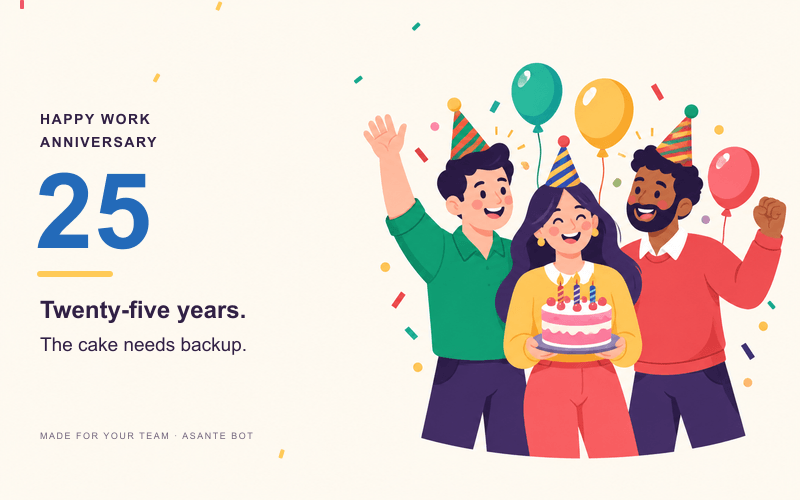
25 years
Happy 25-year work anniversary! Thank you for a quarter-century of contributions and all the people you have supported along the way.
Want to celebrate a date automatically? See birthday and work-anniversary posts in Slack. If you just need a message right now, use the examples below.
- Messages for different milestones
- Send a GIF or image in Slack
- Make a custom anniversary emoji
- Pair a funny image with a personal thank-you
- Common questions
Work anniversary messages by milestone
Replace the name and add one contribution you appreciate. A short, specific message means more than a list of achievements you could send to anyone.
| Milestone | Message to adapt |
|---|---|
| 1 year | Happy first anniversary, Alex! You made yourself part of the team so quickly. Thanks for everything you've brought to your first year. |
| 2 years | Two years in, and we're still glad you said yes to the job. Happy anniversary, Alex! |
| 3 years | Happy 3-year anniversary! Thanks for three years of good ideas, thoughtful work, and helping the rest of us along. |
| 4 years | Four years of being the person we can count on. Happy work anniversary, Alex—and thank you. |
| 5 years | Five years! Your next meeting should definitely involve cake. Thanks for everything you do for this team. |
| 8 years | Eight years of contributions and shared stories. Happy anniversary, Alex! We appreciate the care you put into your work. |
| 10 years | A whole decade deserves more than a calendar reminder. Thank you for the work, the mentoring, and the difference you've made. |
| 12 years | Happy 12-year anniversary! Thank you for the experience you share and the people you help every day. |
| 15 years | Fifteen years—the stories alone deserve a book. Thank you for the care and commitment you've brought to the team. |
| 20 years | Happy 20-year anniversary! Your contribution reaches far beyond your own work. Thank you for helping so many people grow. |
| 25 years | Twenty-five years deserves a proper celebration. Thank you for a quarter-century of contributions and commitment. |
| 30 years | Happy 30-year anniversary! We're grateful for the people you've supported and the lasting difference you've made. |
For more formal, short, or manager-written options, see our work anniversary messages and wishes for colleagues.
How to Use Memes & GIFs in Slack
- Download a GIF or PNG from the gallery.
- Open the channel or DM where your teammate is comfortable being celebrated.
- Attach the downloaded file. On desktop, you can drag it into the message composer.
- Add their name, the anniversary, and one specific thank-you. Review the preview and send.
If you want to search for a different animation, use Slack's built-in GIF picker. Our guide to adding GIFs in Slack covers desktop, mobile, and file uploads; the Giphy app guide covers command-based searches where that app is installed.
Choose one image rather than filling the channel with several animations. Use a still PNG if the recipient prefers less motion, and keep the important message in ordinary text so it remains readable without the image.
How to Create a Work Anniversary Meme
Start with a kind joke about a shared experience: the cake ritual, a much-loved team expression, or the number of launches you've worked on together. Avoid jokes about someone's age, pay, appearance, or whether they should have left the company.
For a small image everyone can reuse as a reaction, try the Slack emoji maker. A custom emoji is different from a full-size anniversary card: use it for reactions or a short celebratory message. Follow the custom Slack emoji guide to add the exported image to your workspace.
If you make your own full-size card, check that its text is readable on a phone. Leave room around the words and test the file in a private conversation before posting it to the team.
Pairing Humor with Heartfelt Messaging
A funny card opens the conversation; the message should explain what you appreciate. Try this structure: milestone + contribution + thank-you.
Happy 5-year anniversary, Maya! You made onboarding easier for everyone who joined this year, especially with the support playbook. Thanks for being so generous with your experience. The first slice of cake is yours.
If you don't know the person well, keep the joke gentle and ask their manager for a concrete example. Don't invent an achievement to make the message sound personal.
Additional Ideas to Celebrate Work Anniversaries
Ask teammates to add short replies with a memory or a thank-you. For a bigger milestone, arrange a lunch, a reward the person actually wants, or a note from their manager alongside the Slack post.
For recurring dates, Asante Bot's celebration automation can post birthday and work-anniversary messages in Slack. Standard posts are available free; custom messages, GIFs, and send times are paid features. Check current plans and the trial before setting up the programme.
FAQ
Are these work anniversary GIFs free?
Yes. The six original gallery cards are free to download and share in workplace celebrations. You can use the accompanying messages as starting points and personalize them for your teammates.
Where is the 4-, 8-, or 12-year GIF?
Use the Any work anniversary card and add the exact year in your message. The milestone table includes wording for those anniversaries without putting every possible number in a separate image.
Why does the preview stay still?
The page starts with PNG previews so you can browse without several animations playing at once. Press Play GIF to see one move, or download the GIF directly. Stop preview returns to the still image.
Can I send a funny work anniversary image to my manager?
Yes, if it fits your relationship. A kind message about a shared team experience is a safer choice than a joke about their age or authority. When unsure, use a straightforward thank-you with the any-year card.
Can I automate anniversary GIFs in Slack?
You can automate celebration posts with Asante Bot. Check the celebration feature page and pricing for the plan that includes the customization you need.
About the author






Keep reading
More from the blog
 hr
hrEmpowering Growth: A Conversation with Nadja Ndayara on HR, Coaching, and Lifelong Learning
In one of our first interviews with HR industry leaders, we are bringing you an interview with Nadja (Nikolic) Ndayara, founder of Kesler Agency and a dedicated professional with a passion for coaching and personal development.
 Asante Bot
What's New in Asante Bot: Summer 2026
Bots can now give recognition points, celebrations go out on your schedule and timezone, and birthday messages write themselves. Plus a rebuilt help center, glossary, and honest comparison library.
 Asante Bot
Unlocking Pipedream Slack Automation for Team Recognition
Connecting Pipedream and Slack is a game-changer for automating team recognition. It lets you turn manual shout-outs into consistent, triggered celebrations that land right in your team's main communication hub.