Trying to make sense of Slack's pricing tiers can feel like you're staring at a puzzle with a few pieces missing. You know it’s a crucial tool for your team, but figuring out which plan actually fits your budget and your workflow is the real challenge. Getting this right is about more than just managing costs; it's about giving your team the tools they need to succeed without paying for features they'll never touch.
Table of Contents
Why teams search for “Slack pricing”
Most teams find themselves digging into Slack's pricing when they hit the infamous 90-day message history wall on the Free plan. Suddenly, important conversations, files, and decisions vanish into the ether. Or, they realize they need to connect more than 10 apps to streamline their workflow. This is the moment a casual search for "Slack pricing" becomes an urgent business need.
Slack as a core communication tool for modern teams
Think of Slack as your company's digital headquarters. The right plan can make it a bustling hub of productivity, but the wrong one can feel like a frustrating set of limitations. It’s the central nervous system for countless startups, remote teams, and even massive enterprises, making the choice of plan a foundational business decision.
What this guide covers:
This guide is here to clear up the confusion. We're going to look past the sticker price and get into the nitty-gritty of what each plan really offers.
- Slack plans: A deep dive into the Free, Pro, Business+, and Enterprise Grid tiers.
- Pricing breakdown: A straightforward look at per-user costs, monthly vs. annual billing, and potential hidden expenses.
- Feature differences: A clear comparison of what you actually get (and give up) with each plan.
- How to choose the right plan: Practical advice for picking the perfect option based on your team's size, security requirements, and daily habits.
By the time we're done, you'll know exactly which plan will help your team do their best work.
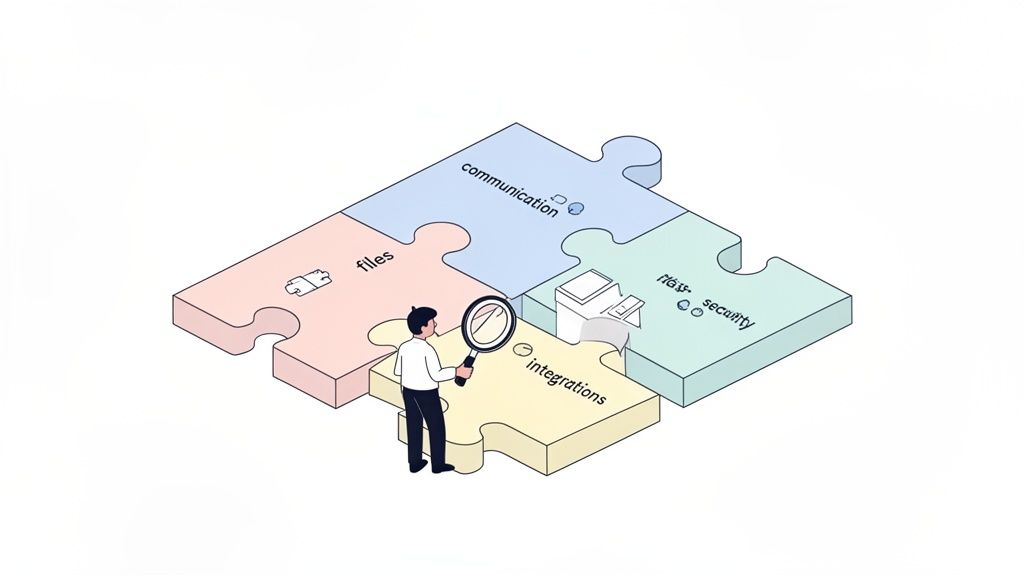
What Is Slack?
Slack is a channel-based messaging platform designed to replace email as the primary method of communication and sharing for teams. It organizes conversations into dedicated spaces called channels, making it easy to follow projects, topics, or team-specific discussions.
Who Slack is for:
Slack is built for a wide range of organizations, each with different needs:
- Startups: Use it to stay agile and keep everyone in the loop without formal meetings.
- SMBs (Small and Medium-sized Businesses): Rely on it as a central hub for daily operations, project management, and cross-departmental communication.
- Enterprises: Deploy it at scale to connect thousands of employees across different departments and global offices.
Why pricing varies by team size and needs
A five-person startup has vastly different needs than a 5,000-person corporation. The startup might just need a reliable chat tool, while the enterprise requires advanced security like single sign-on (SSO), data compliance exports, and centralized administrative controls. Slack’s pricing tiers are designed to reflect this, ensuring that teams only pay for the level of functionality and security they actually require.
Slack Pricing Overview (At a Glance)
If you're just looking for the bottom line on Slack's pricing, you've come to the right place. Slack keeps things pretty simple with a per-user, per-month cost. This means your bill scales predictably right alongside your team—you only ever pay for the people who are actually using it.
Summary of available plans:
Slack breaks its offering into four main tiers. Each one is built for a different kind of team, from a handful of people just starting out to massive companies that need serious security and compliance features.
- Free: For small teams or those trying out Slack.
- Pro: For growing teams needing unlimited history and integrations.
- Business+: For scaling companies that require advanced security and compliance.
- Enterprise Grid: For large, complex organizations needing enterprise-grade features.
Monthly vs annual billing (high level)
Slack offers a discount for teams willing to commit to an annual subscription. While monthly billing provides more flexibility, paying for the year upfront can save you around 17%—a significant saving for any team.
Per-user pricing model explained
It's exactly what it sounds like: if you have a 10-person team on a paid plan, you pay for 10 "seats." When you hire your eleventh person, your cost simply adjusts. This kind of flexibility is a huge part of Slack’s appeal, letting you avoid getting locked into oversized packages or trying to guess your headcount a year from now.
Slack Free Plan: What You Get (and What You Don’t)
Think of the Slack Free plan as your starter toolkit. It’s a fantastic fit for tiny teams, personal projects, or if you just want to kick the tires and see what Slack is all about.
Core features included:
- Channels & direct messages: All the core messaging functionality you need to communicate.
- Limited message history: Access to the most recent 90 days of your team's conversations.
- Basic integrations: Connect up to 10 of your favorite third-party apps.
Key limitations:
The free plan's limits are designed to show you what you're missing as your team grows.
- Message history cap: The 90-day limit is the biggest pain point. Important decisions or files from last quarter simply disappear.
- Limited app integrations: Ten apps may sound like a lot, but a growing team quickly outgrows this as they add tools for project management, calendars, and HR.
- No advanced admin or security: You get very basic administrative controls and none of the advanced security features like SSO.
Best for:
- Small teams: Perfect for groups of 2-10 people just getting started.
- Trying Slack before upgrading: It's the ultimate "try before you buy" demo.
Slack Pro Plan Pricing & Features
The Slack Pro plan is the go-to upgrade for growing teams and startups that have woven Slack into the fabric of their daily work. This is where Slack transforms from a simple chat app into a genuine system of record.
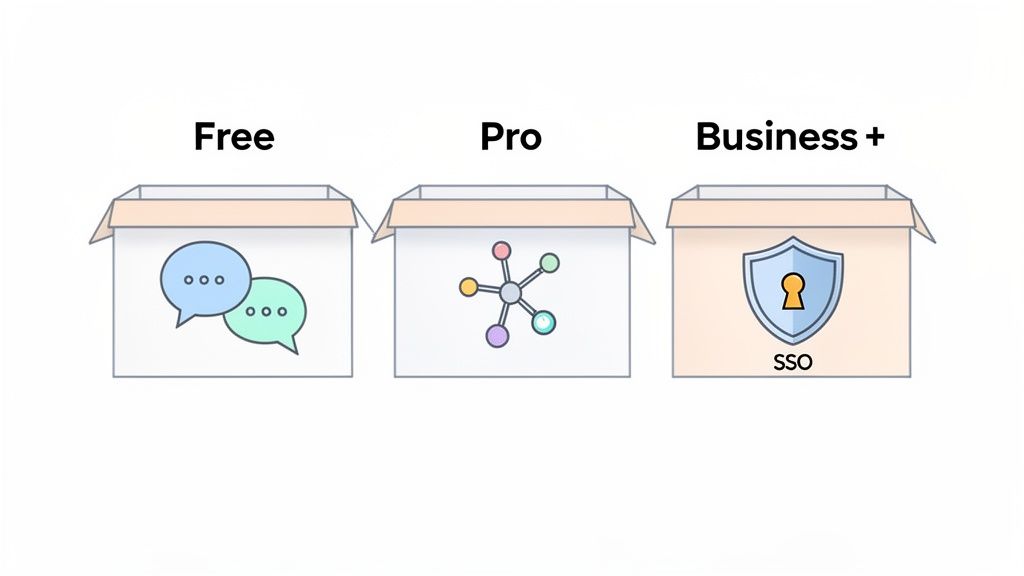
What’s included:
- Unlimited message history: The single biggest reason people upgrade. Every conversation, file, and decision is saved and searchable—forever.
- Unlimited app integrations: Connect every tool your team depends on, from project management software to calendar apps.
- Group calls: Jump on audio and video "huddles" with up to 50 people, complete with screen sharing.
What changes compared to Free
Imagine a marketing team planning a major product launch. On the Free plan, the initial brainstorming sessions from four months ago are gone. On the Pro plan, they can instantly search for those early conversations, find the original design files, and trace the entire history of the project without an email scavenger hunt. That's the practical difference unlimited history makes.
Best for:
- Growing teams: Any team that has outgrown the 90-day message limit.
- Startups using Slack daily: When Slack becomes your digital office, the Pro plan is essential.
Slack Business+ Plan Pricing & Features
If the Pro plan is a professional toolkit, then Business+ is a fortified one, built from the ground up with security and admin control in mind. This plan is aimed at companies that are scaling fast, especially those in regulated industries or with tight IT security requirements.
Advanced features:
- SSO (Single Sign-On): The headline feature. It lets your team log into Slack using your company’s existing identity provider (like Okta or Azure AD), which is a non-negotiable for secure user management at scale.
- Compliance exports: The ability to export all message data, which is critical for legal, HR, or regulatory compliance needs.
- Advanced security controls: Granular control over workspace settings, who can do what, and how your data is managed.
Admin and IT benefits
For an IT administrator at a 100-person company, managing user access individually is a nightmare. With SSO on the Business+ plan, when an employee leaves, the admin can revoke access to Slack and all other company software from one central dashboard, ensuring security.
Best for:
- Scaling companies: Organizations that need to manage user access and security centrally.
- Teams with security requirements: Businesses in finance, legal, or other regulated industries that need advanced compliance features.
Slack Enterprise Grid: Custom Pricing Explained
When your company gets big enough, you stop looking for a bigger office and start thinking about a corporate campus. That's the best way to understand the Slack Enterprise Grid plan. It’s not just a souped-up version of the Business+ plan; it’s an entirely different way of structuring Slack for massive, complex organizations.
What Enterprise Grid is designed for
Enterprise Grid is built for businesses that need to run multiple, separate Slack workspaces but want a single pane of glass for administration and security. For example, a global corporation can have distinct workspaces for its North American, European, and Asian teams, all managed by a central IT department.
Features:
- Multiple workspaces: Spin up as many interconnected workspaces as you need for different departments, brands, or regional offices.
- Centralized administration: Manage security policies, settings, and billing across every workspace from one master dashboard.
- Enterprise-grade compliance: Supports advanced security needs like HIPAA compliance and integrates with data loss prevention (DLP) tools.
How pricing works (custom quotes)
You don't just click a button to buy Enterprise Grid. The slack pricing is custom. You work directly with Slack’s sales team to build a solution that fits your company’s specific size, structure, and compliance needs.
Best for:
- Large organizations: Companies with thousands of employees, often spread across the globe.
- Complex org structures: Holding companies with multiple subsidiaries or distinct brands that need separate yet connected communication hubs.
Slack Pricing Comparison Table
To help you see exactly what you're paying for, here's a direct, side-by-side comparison of the core differences in each Slack plan.
| Feature | Free | Pro | Business+ | Enterprise Grid |
|---|---|---|---|---|
| Message history | Limited | Unlimited | Unlimited | Unlimited |
| App integrations | Limited | Unlimited | Unlimited | Unlimited |
| Security & compliance | ❌ | ❌ | ✅ | ✅ |
| Admin controls | Basic | Standard | Advanced | Enterprise |
Slack Pricing: Monthly vs Annual Billing
The decision between monthly and annual billing isn't trivial; choosing to pay annually can save you around 17%. That's a significant discount if you know Slack is going to be your team's home base for the long haul.
Cost differences explained
- Pro Plan: $8.75/user/month (monthly) vs. $7.25/user/month (annually).
- Business+ Plan: $15.00/user/month (monthly) vs. $12.50/user/month (annually).
For a 20-person team on the Pro plan, paying annually saves you $360 per year. For a 50-person team on Business+, that saving jumps to $1,500 per year.
When annual billing makes sense
If Slack is already an integral part of your workflow and you have a stable or growing headcount, annual billing is a smart financial move. It locks in a lower rate and simplifies your accounting with a single yearly payment.
Budgeting tips for teams
If you're a startup with a fluctuating team size, it might be wise to start with monthly billing for flexibility. Once your team size stabilizes, you can switch to an annual plan to capitalize on the savings.
Hidden Costs & Considerations
To get an accurate budget, you have to look past the sticker price. Several other factors can influence the total cost of ownership for Slack.
- Cost scales with team size: The per-user model is simple, but remember that every new hire adds to your monthly bill.
- App subscriptions on top of Slack: Many of the best Slack apps have their own subscription fees. Your project management tool, CRM, and other integrations may carry additional costs.
- Training & onboarding time: While Slack is intuitive, getting a team to use it effectively—with proper channel etiquette and workflows—takes time and effort.
- Admin overhead for larger teams: On the Business+ and Enterprise Grid plans, you'll need dedicated IT or administrative staff to manage users, policies, and security settings.
How to Choose the Right Slack Plan
Picking a Slack plan isn't just about comparing price tags. It's about finding the right fit for how your team actually works and where you're headed.
Key questions to ask:
- How many users? If you have fewer than 10 people, the Free plan might suffice. As you grow, a paid plan becomes inevitable.
- How important is message history? If your team constantly needs to find conversations or files from more than three months ago, the Pro plan's unlimited history is non-negotiable.
- Security & compliance needs? For any company that handles sensitive data or works in a regulated field, the SSO and compliance features in the Business+ plan are essential.
Decision guidance by team type:
- Startups: Start with the Free plan. Upgrade to Pro the moment you feel the pain of the 90-day message history limit. It’s a common and natural progression.
- Remote teams: These teams live in Slack. The Pro plan is usually the minimum requirement for its unlimited history and integrations. As the team scales, the Business+ plan provides the necessary security for a distributed workforce. It's one of the most essential Top Remote Collaboration Tools.
- Enterprises: If you have over 500 employees or operate in a regulated industry like finance or healthcare, you should be talking to Slack about Enterprise Grid.
Slack Pricing FAQs (SEO Section)
How much does Slack cost per user?
Slack's cost per user depends on the plan and billing cycle. Paid annually, the Pro plan is $7.25 per user/month, and the Business+ plan is $12.50 per user/month. Monthly rates are higher.
Is Slack free forever?
Yes, the Slack Free plan is free forever, but it comes with significant limitations, including a 90-day message history cap and a limit of 10 app integrations.
Is Slack worth paying for?
Upgrading makes sense the moment the Free plan's limitations start costing you time or creating risk. If you need to search your full conversation history, integrate more than 10 apps, or require advanced security features like SSO, a paid plan is definitely worth it. This is a similar value proposition to upgrading from the best free project management tools to a paid version.
Can I switch Slack plans later?
Yes, Slack allows you to upgrade or downgrade your plan at any time. Changes are typically applied at the start of your next billing cycle, providing flexibility as your team’s needs evolve.
Final Thoughts: Is Slack Pricing Worth It?
The value of Slack is not just in the messages it sends, but in the searchable, centralized archive of knowledge it creates. It’s the context around a decision, the feedback on a design, and the celebration of a team win—all in one place.
Slack’s value vs cost
For most teams, the cost of Slack is easily justified by the gains in productivity and the reduction in time spent searching through emails. The ability to quickly find any past conversation or file is a superpower for a growing business.
Why many teams start free and upgrade later
The "freemium" model is effective because it allows teams to experience Slack's value firsthand. The limitations of the Free plan then serve as a natural guide, showing you exactly when and why an upgrade is necessary for your specific workflow.
Slack as infrastructure, not just a chat tool
Ultimately, paying for Slack is an investment in your company’s communication infrastructure. When you integrate tools for project management, customer support, and even team recognition, Slack becomes the digital headquarters for your entire organization. Celebrating wins with an app like AsanteBot directly within Slack is crucial for morale, especially for remote teams. This transforms it from a simple utility into a cornerstone of your company culture.