
Workday Slack Integration: How to Connect HR Data With Everyday Team Communication
Dusan Milovanovic
Let's be real—your company's most vital employee data is tucked away in Workday, but your team's day-to-day life happens in Slack. That disconnect is more than just an inconvenience; it creates friction. Important HR updates get buried in emails, employees are constantly context-switching, and engagement with your core HR system suffers because it's just not part of the daily workflow. This gap between where HR data lives and where employees actually work is why so many teams search for a "Workday Slack integration."
Table of Contents
- What Is Workday?
- Why Slack Is the Ideal Layer for HR Workflows
- Is There a Native Workday Slack Integration?
- Common Use Cases for Workday + Slack Integration
- The Missing Layer: Engagement & Recognition
- How Teams Extend Workday With Slack Bots
- Best Practices for a Successful Workday Slack Integration
- Security, Permissions & Compliance Considerations
- Workday + Slack: Real-World Scenarios
- Frequently Asked Questions (FAQ – SEO Section)
- Final Thoughts: Turning HR Data Into Everyday Engagement
A Workday Slack integration is the bridge between these two worlds. It connects your system of record (Workday) with your system of engagement (Slack), turning static HR data into timely, interactive moments right where your team is already working.
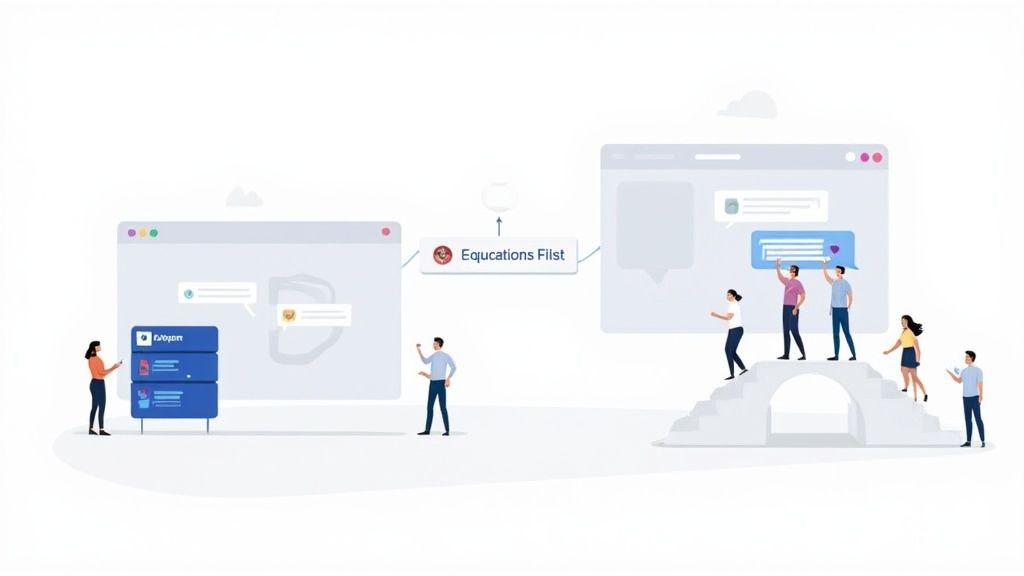
The true value of a Workday Slack integration lies in harnessing the benefits of real-time data integration to empower immediate action and seamless communication within your team.
This guide will cover everything you need to know, including practical use cases like PTO approvals and new hire announcements, your integration options, the limitations of native tools, and best practices for a secure and effective setup. By the end, you'll have a clear path to turning your HR data into a powerful driver for team engagement.
What Is Workday?
Before we connect it to Slack, let's establish Workday's role: it's your company's undisputed system of record. Think of it as the foundational ledger for your organization's most important asset—its people. Work-day is the single source of truth for all Human Capital Management (HCM) and is critical for keeping your business compliant, organized, and running smoothly.
Core Use Cases
Workday is the engine behind many critical HR processes:
- HRIS: It's the master database holding employee profiles, org charts, job histories, and essential personal details.
- Payroll: Workday ensures everyone is paid correctly and on time, handling complex calculations, tax withholdings, and compliance.
- Talent Management: It manages the entire employee journey, from recruiting and onboarding to performance reviews and succession planning.
- Time Tracking: It's the official record for time-off requests, sick leave, and work hours, which is vital for resource planning and payroll.
While Workday is essential for its record-keeping power, it’s a database at its core, not a daily communication tool. The hassle of logging into a separate system means most employees rarely interact with it, leaving valuable data underused day-to-day. This is precisely where a Slack integration comes in.
Why Slack Is the Ideal Layer for HR Workflows
Slack has become the digital headquarters for millions—it's the central hub where work actually happens. Conversations, project updates, and team collaboration all flow through its channels. Employees already live in Slack, making it the perfect environment to introduce HR workflows without forcing them to adopt yet another tool.
Bringing HR processes into Slack offers clear benefits:
- Faster Adoption: You're meeting employees where they already are, which dramatically lowers the barrier to entry for HR tasks.
- Less Context Switching: Instead of toggling between apps to approve a request or see a policy update, employees can handle it directly within their workflow, saving time and mental energy.
- Higher Engagement: When HR notifications and celebrations appear alongside daily work conversations, they become more visible, timely, and interactive.
When you bring HR workflows into the place where conversations are already happening, everything gets easier. Teams that integrate tools like this into Slack report sending 32% fewer internal emails, which is a massive win for productivity. You can read more about how this impacts collaboration on Archie's blog.
Is There a Native Workday Slack Integration?
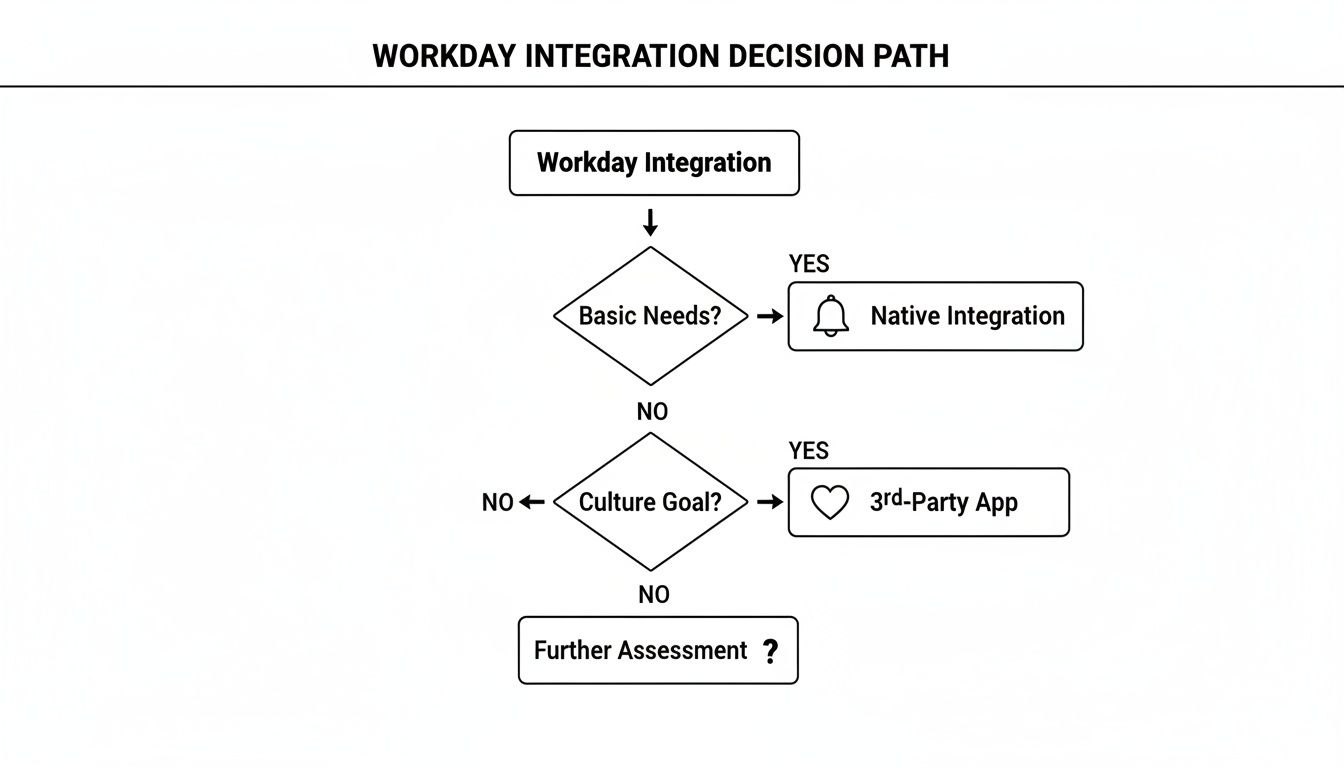
Yes, Workday offers native ways to connect with Slack. These built-in connectors are designed for straightforward, out-of-the-box tasks and are often the first stop for IT and HR teams. They are generally neutral, functional tools focused on administrative efficiency.
Native options typically support:
- Notifications: Pushing basic alerts into a channel when a new company policy is published or open enrollment is closing.
- Approvals: Allowing a manager to receive a direct message to approve or deny a PTO request without leaving Slack.
- Basic Alerts: Sending a heads-up for an employee's first day or a change in job title.
However, these native integrations come with key limitations:
- Limited Customization: You're often stuck with predefined templates and workflows that may not align with your company's voice or culture.
- Little Focus on Engagement or Culture: They are transactional by design, built to check boxes rather than celebrate people or reinforce team connection.
- Admin-Heavy Setup: The configuration can be complex, often requiring significant technical expertise and IT involvement.
Common Use Cases for Workday + Slack Integration
Connecting Workday and Slack is about turning static HR data into real, human interactions inside the app your team uses all day.
HR Notifications
Automate crucial updates to ensure they are seen and acted upon quickly.
- PTO Approvals: An employee requests time off in Workday, and their manager instantly gets a Slack notification with "Approve" and "Deny" buttons. (If you are not on Workday, a dedicated vacation tracker for Slack covers the same ground.) This can cut approval times from days to minutes.
- Policy Updates: Automatically post new company policies in an
#announcementschannel, linking directly to the full document in Workday. - Manager Alerts: Send a private reminder to a manager when a direct report's probation period is ending, prompting them to schedule a review.
Employee Lifecycle Events
Make important milestones visible to the entire team, fostering a sense of community.
- New Hires: On a new employee's first day, an automated welcome message appears in a public channel, introducing them with their photo, title, and team.
- Promotions: Celebrate career growth with a public announcement acknowledging an employee's new role.
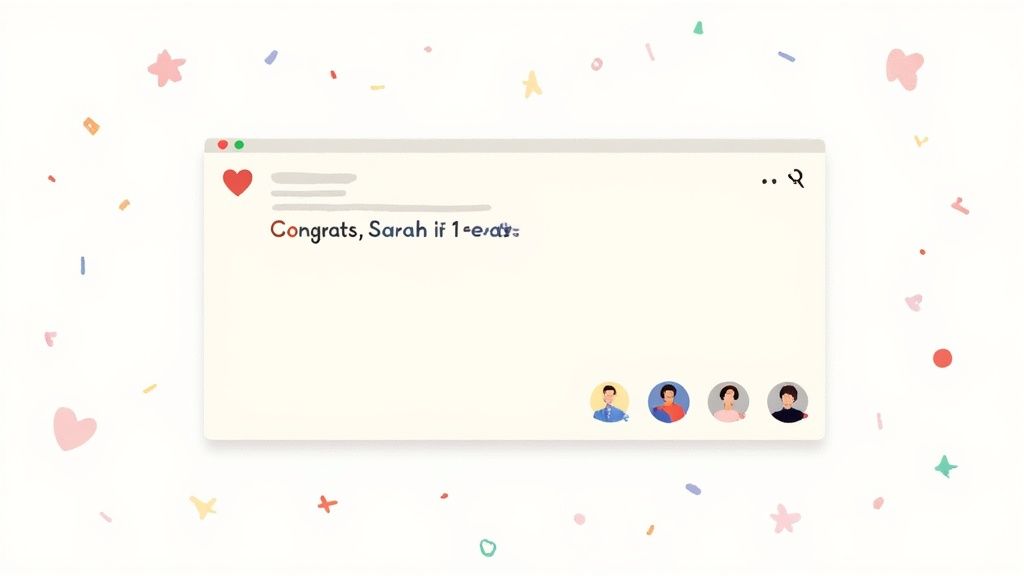
- Work Anniversaries: A celebratory message automatically posts in the team channel, creating an opportunity for colleagues to share congratulations.
Time, Absence & Approval Flows
Remove friction from routine administrative tasks by bringing them directly into Slack.
- Time-off Requests: Allow employees to initiate a time-off request with a simple Slack command like
/request-pto. - Manager Approvals: Managers can handle all their team's requests from a single, consolidated view in Slack.
- Reminders: Send friendly, automated nudges to employees on Friday afternoon to complete their timesheets if Workday shows they're still open.
The Missing Layer: Engagement & Recognition
Workday handles its role as a system of record exceptionally well. It's the source of truth for hire dates, job titles, and payroll data. However, it was never designed to be the place where your company culture comes to life.
What Workday doesn't focus on is the human element:
- Peer Recognition: Acknowledging a colleague for going above and beyond.
- Celebrations: Creating shared moments around birthdays and work anniversaries.
- Culture Reinforcement: Making company values visible in daily interactions.
This is the missing layer. While Workday stores the data, it lacks a mechanism to activate it for morale-boosting purposes. Slack is the ideal platform for this layer. Its conversational, public, and real-time nature makes it perfect for fostering connection and ensuring team members feel seen and valued. The importance of team recognition cannot be overstated; consistent acknowledgment is a key driver of retention and employee satisfaction.
How Teams Extend Workday With Slack Bots
To bridge the gap between Workday’s data and Slack’s engagement potential, many teams use third-party Slack bots. These specialized apps act as an intelligent communication layer, pulling select information from Workday to automate the human side of HR.
The typical architecture looks like this:
- Workday as the source of truth: All employee data remains securely stored and managed in Workday.
- Slack bot for engagement & communication: The bot syncs non-sensitive data to trigger messages and workflows directly in Slack.
Examples of data synced from Workday to power these bots include:
- Start dates: To automate work anniversary celebrations.
- Birthdays: To trigger cheerful birthday shout-outs.
- Job titles: To provide context in announcements.
- Team assignments: To ensure messages are sent to the correct channels.
Practical Example: A Slack bot like AsanteBot can be configured to check Workday daily for upcoming anniversaries. On the correct day, it automatically posts a pre-written, personalized message in the employee's team channel, tagging them and their manager. This simple automation ensures no milestone is ever missed.
Best Practices for a Successful Workday Slack Integration
A smart integration is a secure and thoughtful one. Follow these best practices to ensure your setup is both effective and safe.
- Keep Workday as the system of record: This is the golden rule. Slack is a window for communication and lightweight workflows, not a database for storing sensitive employee information.
- Avoid duplicating sensitive data: Be ruthless about what information you sync. Limit it to non-sensitive fields required for notifications and celebrations, such as names, hire dates, and team assignments.
- Use Slack for its strengths: Focus on using the integration for notifications, celebrations, and lightweight workflows like approvals. Avoid trying to replicate complex Workday processes in Slack.
- Involve HR, IT, and People Ops early: Get key stakeholders from different departments involved from the beginning. This ensures the integration is secure, compliant, and genuinely useful for the people who will be using it.
Security, Permissions & Compliance Considerations
Connecting your core HR system to a communication platform requires a strong focus on security.
- Data Access Principles: Only sync the absolute minimum data required. Fields like salary, home addresses, performance reviews, and government IDs should never leave Workday.
- Role-Based Permissions: Implement clear permissions within your Slack app. Not everyone needs administrative access. Define who can configure settings to prevent unauthorized changes. For a deeper dive, check out this guide on how to properly use user roles.
- GDPR & Employee Privacy Basics: Be transparent with your employees about what data is being used and why. Ensure your integration complies with privacy regulations like GDPR by limiting data processing to its intended purpose (e.g., celebrating an anniversary).
For organizations looking to build a fortress around their cloud tools, it’s worth looking into modern frameworks like implementing a Zero Trust Security model.
Workday + Slack: Real-World Scenarios
This integration is valuable for organizations of all types and sizes.
- Distributed Teams: For teams spread across time zones, automated anniversary and birthday messages ensure everyone feels connected, regardless of location.
- Remote-First Companies: In a remote setting where "watercooler" moments don't happen naturally, Slack becomes the primary space for culture. Automating recognition is critical for maintaining morale.
- Fast-Growing Startups: As a company scales, manual processes break. An integration automates HR workflows from the start, ensuring consistency as the team grows.
- Enterprises Modernizing HR Communication: Large organizations use this integration to make their robust HR systems more accessible and engaging for a modern workforce that expects seamless, digital experiences.
Frequently Asked Questions (FAQ – SEO Section)
Can Slack replace Workday?
No—Slack complements Workday, it doesn’t replace it. Workday remains your secure system of record for all critical HR data. Slack acts as the engagement layer, making that data visible and actionable in the flow of daily work.
What data should sync from Workday to Slack?
Only lightweight, non-sensitive data should be synced. This typically includes employee names, job titles, hire dates, birthdays, and team assignments—just enough to power notifications and celebrations without exposing private information.
Is a custom integration required?
It depends on your use case and scale, but for most companies, a custom integration is not necessary or practical. Pre-built third-party Slack apps offer powerful engagement features out-of-the-box, providing a faster, more secure, and cost-effective solution than building from scratch. If you're curious about what's out there, take a look at our guide on the best Slack apps for building a stronger team.
Final Thoughts: Turning HR Data Into Everyday Engagement
At the end of the day, the goal is simple: Workday stores your valuable employee data, and Slack is where you can activate it. The best integrations move beyond "just notifications" and focus on communication, engagement, and adoption. By bridging the gap between your HRIS and your team's daily conversations, you can build a more connected, efficient, and recognized workforce.
Ready to turn your HR data into a vibrant culture of connection and praise? AsanteBot is the bridge between Workday and Slack, automating birthday wishes, work anniversary milestones, and peer-to-peer recognition. Start building a more connected team in minutes.
About the author

Keep reading
More from the blog
 adobe express
Unlocking Team Creativity with Slack Adobe Express
In today’s remote and hybrid workplaces, turning a simple text-based shout-out into a genuinely memorable moment can feel like a challenge.
 bamboohr login
Your Guide to the BambooHR Login Process
Think of your BambooHR login page as the main entrance to your company's HR universe. It's more than just a place to type a password; it’s the starting point for everything you do, from checking your time off balance to updating your personal goals.
 cool slack apps
12 Cool Slack Apps to Boost Team Morale and Productivity in 2026
A quick shout-out in a busy channel is easily missed, and important team milestones can get buried under a flood of messages.